
Translation note: This English version follows the structure, data, figures, and references of the corresponding Chinese post. It was reviewed and synchronized on 2026-08-03.
A Cyber Cleanup: Reinstalling an Old Laptop into an AI Agent Machine with Gemini
Project notes · Written on March 23, 2026, 4:00–5:40 PM

Background
OpenClaw had just gone viral, and I had experimented with it on a MacBook. But given the security concerns, token cost, and limited production readiness, I stopped there.
When I later cleaned up my room, I found an old laptop from my undergraduate days collecting dust. During a conversation with Gemini, I started thinking about turning it into a lightweight engineering machine or server.
This machine is only meant for lightweight or experimental AI tasks. If you need heavy development, you will need better hardware.
The goal was simple: keep no private files, install the lightest practical system, and dedicate the machine to AI coding execution.
Why not buy a server?
- Save money
- Reuse old hardware
- Keep it fully private
- Learn by rebuilding
The rule was simple: delete everything and start again. The rebuilt machine is only suitable for lightweight or experimental AI tasks; serious development needs better hardware.
Preparation
- A stable internet connection
- An 8GB+ USB drive
- A large backup disk
Useful software:
- Gemini / Doubao / Qwen web apps
- Snipaste
- Antigravity or VS Code + Cline
- Motrix for P2P downloads
- Rufus for writing system images to USB
- Clash Verge
- LocalSend for cross-platform local transfer
- Chrome
The Process
Cleaning up files
I first cleaned up the machine’s files. This part is different for every computer, but the Downloads and Documents folders on the system drive deserve special attention. A tree listing from PowerShell or Bash can be shared with an AI tool so that potentially valuable documents can be identified and preserved.
I also used WizTree to visualize disk usage and speed up the cleanup.
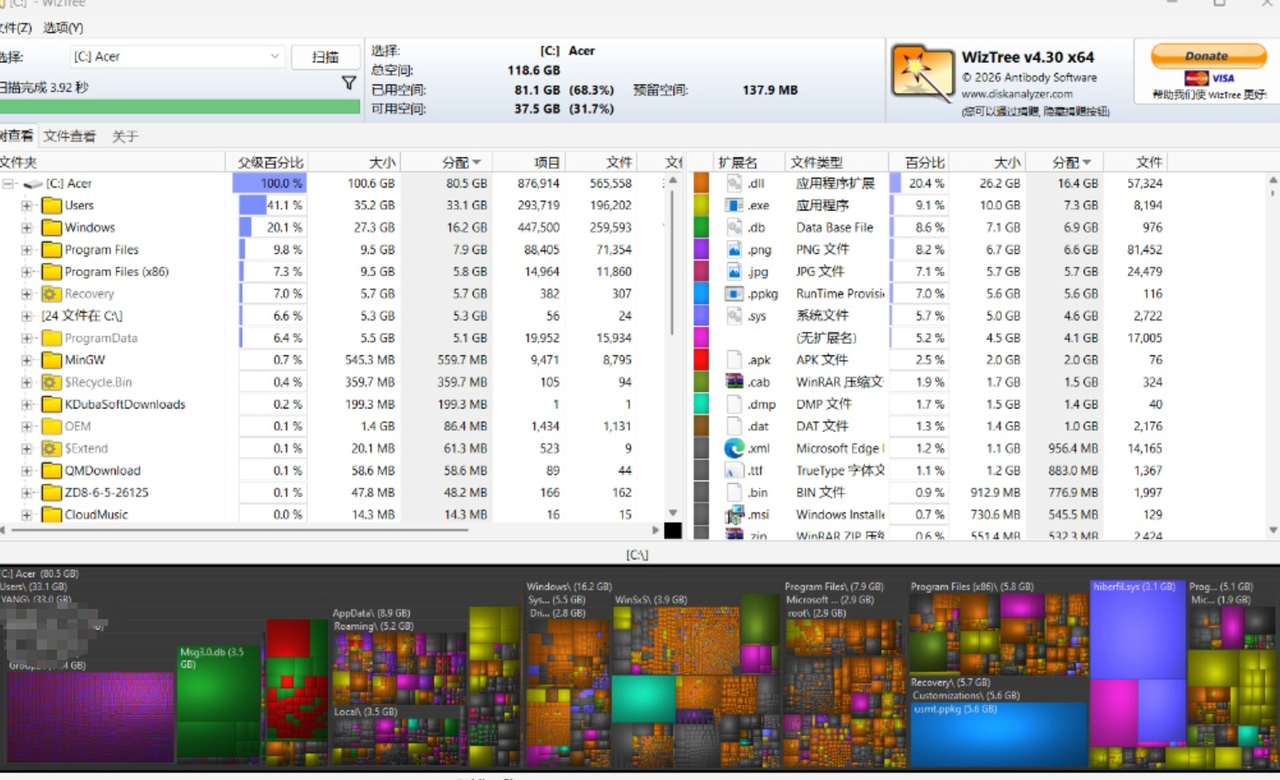
I originally intended only to remove old software, not to reinstall Windows. Using Gemini through Antigravity, I asked “Why is my computer so slow?” and had the agent read the machine’s configuration and running processes.
It produced a Markdown hardware profile and noted that the computer had not been restarted for 248 days. Fragmented files and accumulated software were contributing to the slowdown.
The hardware was:
- Intel Core i7-6500U at 2.50 GHz (2.60 GHz reported)
- 8 GB RAM (7.87 GB usable)
- NVIDIA GeForce 940M (2 GB) and Intel HD Graphics 520 (128 MB)
- 256 GB LITEON CV1-CC256 SSD
At its worst, opening a browser took five seconds. I opened Task Manager with Ctrl+Shift+Esc and the installed-programs panel with Win+R → appwiz.cpl, captured screenshots with Snipaste, and asked Gemini to explain every process and program and produce an uninstall list. This uncovered vendor leftovers, bundled software, and other resource-heavy preinstalls.
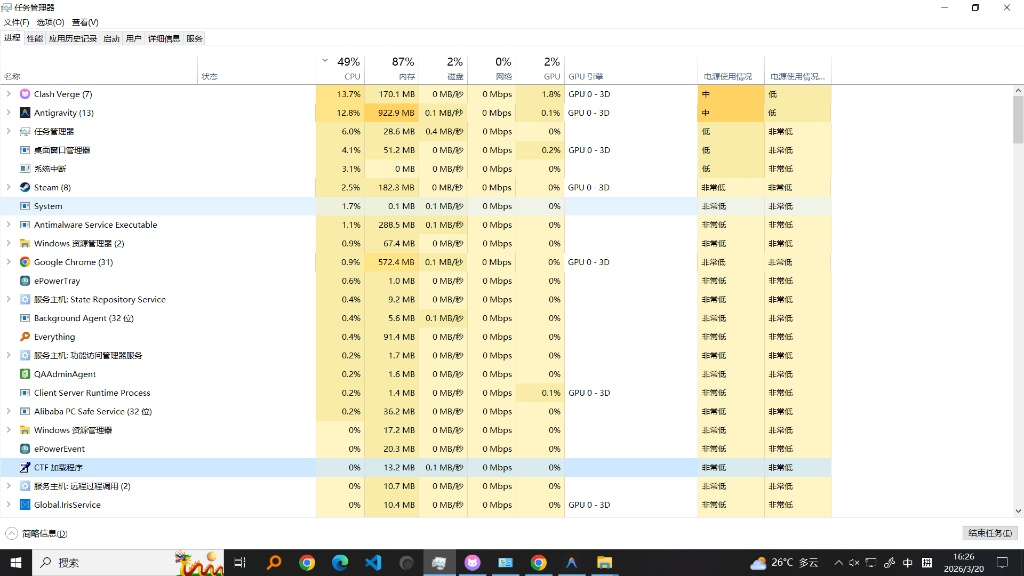
Removing outdated and unnecessary software freed approximately 40 GB. The process taught me a lot about Windows permissions and deep cleanup, but some unwanted programs were so difficult to remove that I eventually decided to reinstall the system.
Downloading the system image
After discussing my requirements with Gemini, I chose Windows 10 Enterprise LTSC 2021 over Ubuntu 24.04 because of software compatibility and ecosystem support.
I downloaded the Windows 10 Enterprise LTSC 2021 (x64, Simplified Chinese) ISO via BT from next.itellyou.cn and used Motrix for P2P transfer. After finishing the download, I continued seeding until the share ratio reached 1 as a small contribution to the anonymous peer-to-peer network.
Making a bootable USB
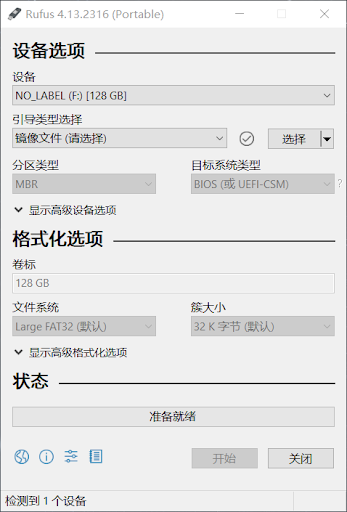
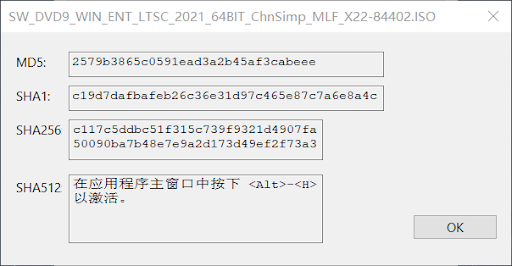
I opened Rufus, selected the ISO, verified its hash, and then wrote it to a USB drive.
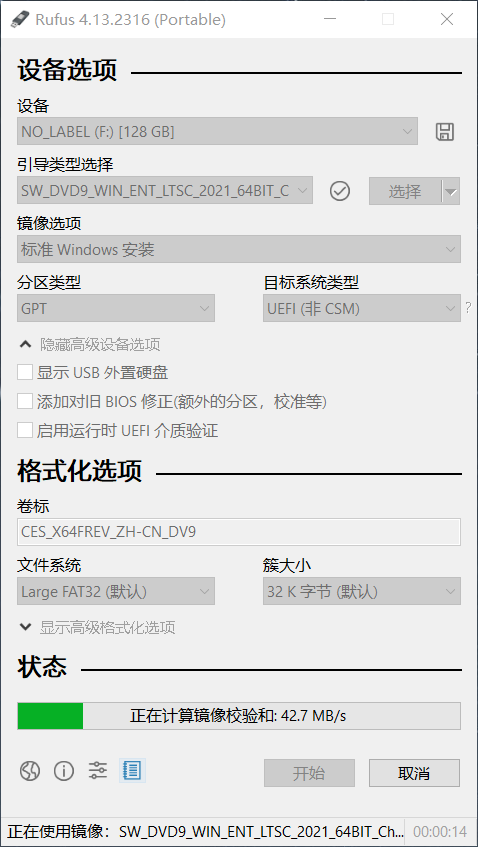
The checksum matched, so the image had not been tampered with or poisoned.
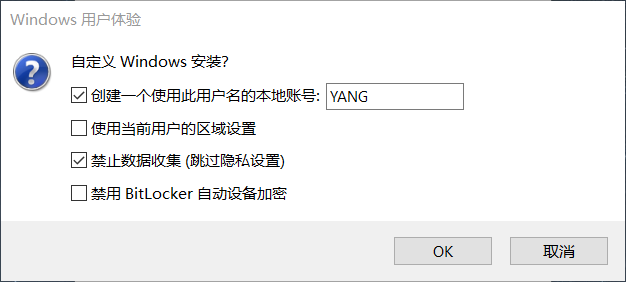
I then started the USB-writing process and selected every option except “use the current user’s regional settings.”
Reinstalling the system
After one final check that all files had been backed up or removed, I asked AI to generate a Markdown SOP for the reinstall process. I transferred it to another device—or photographed it with a phone—so that it could be followed while the laptop was offline.
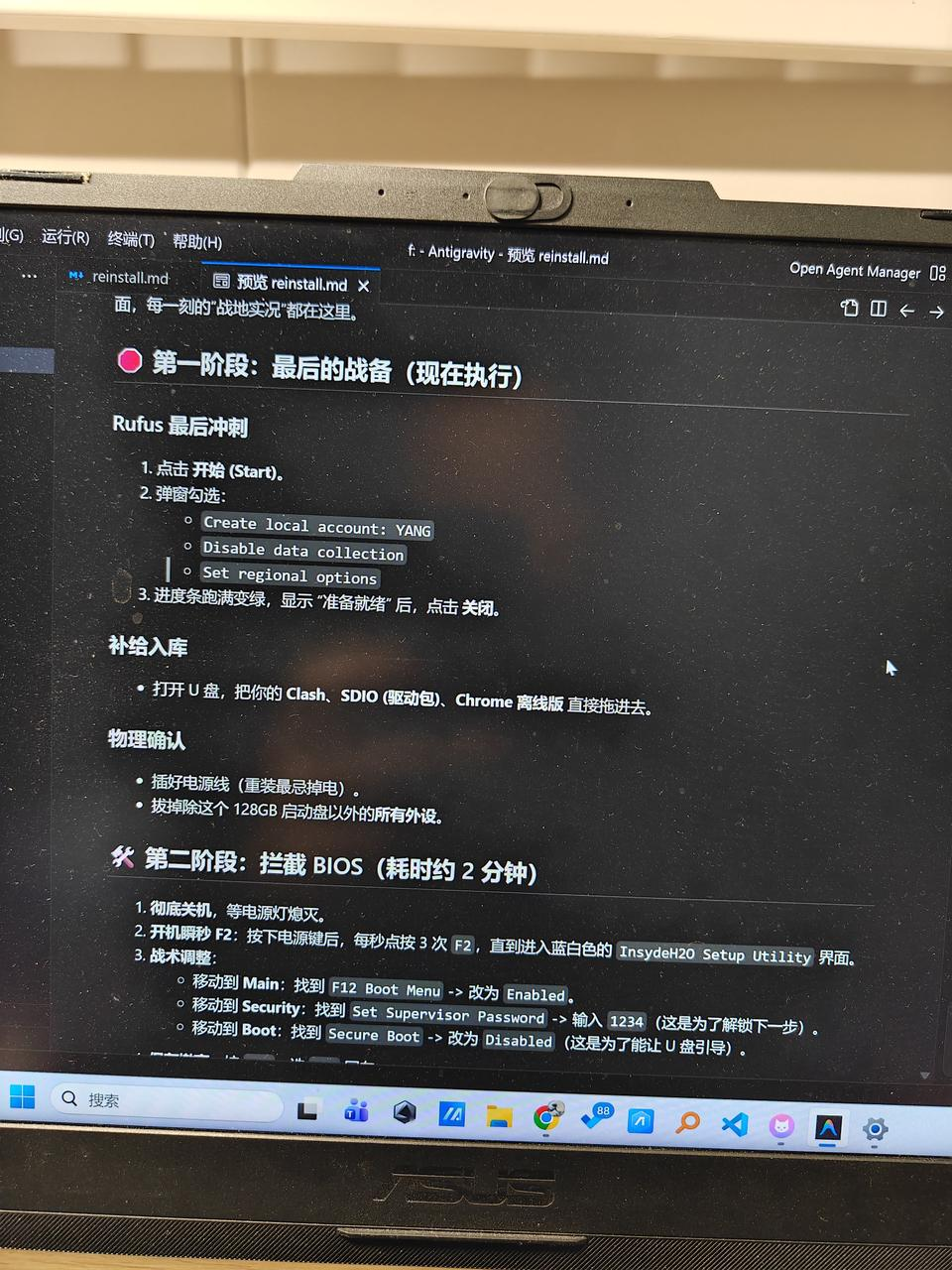
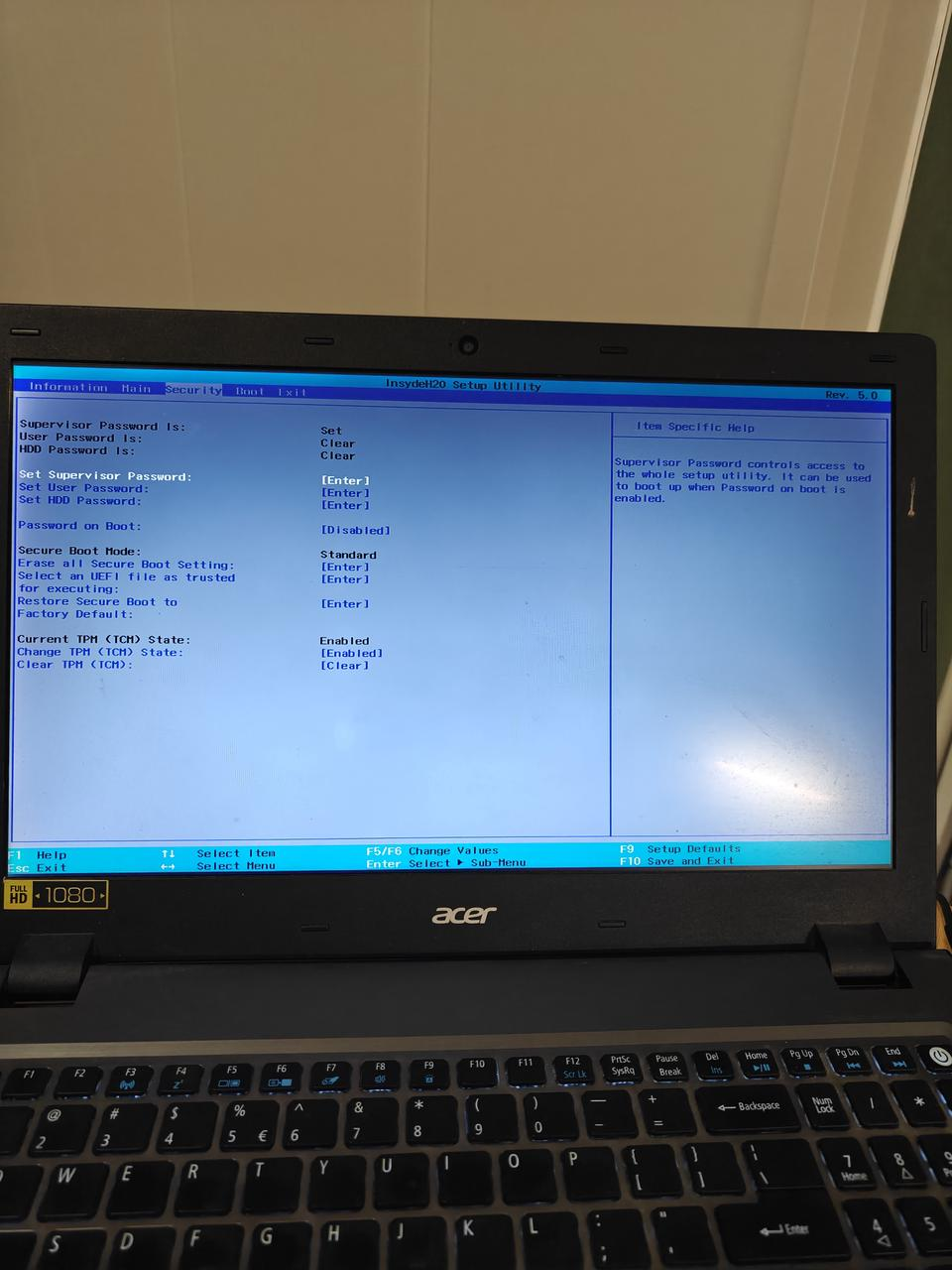
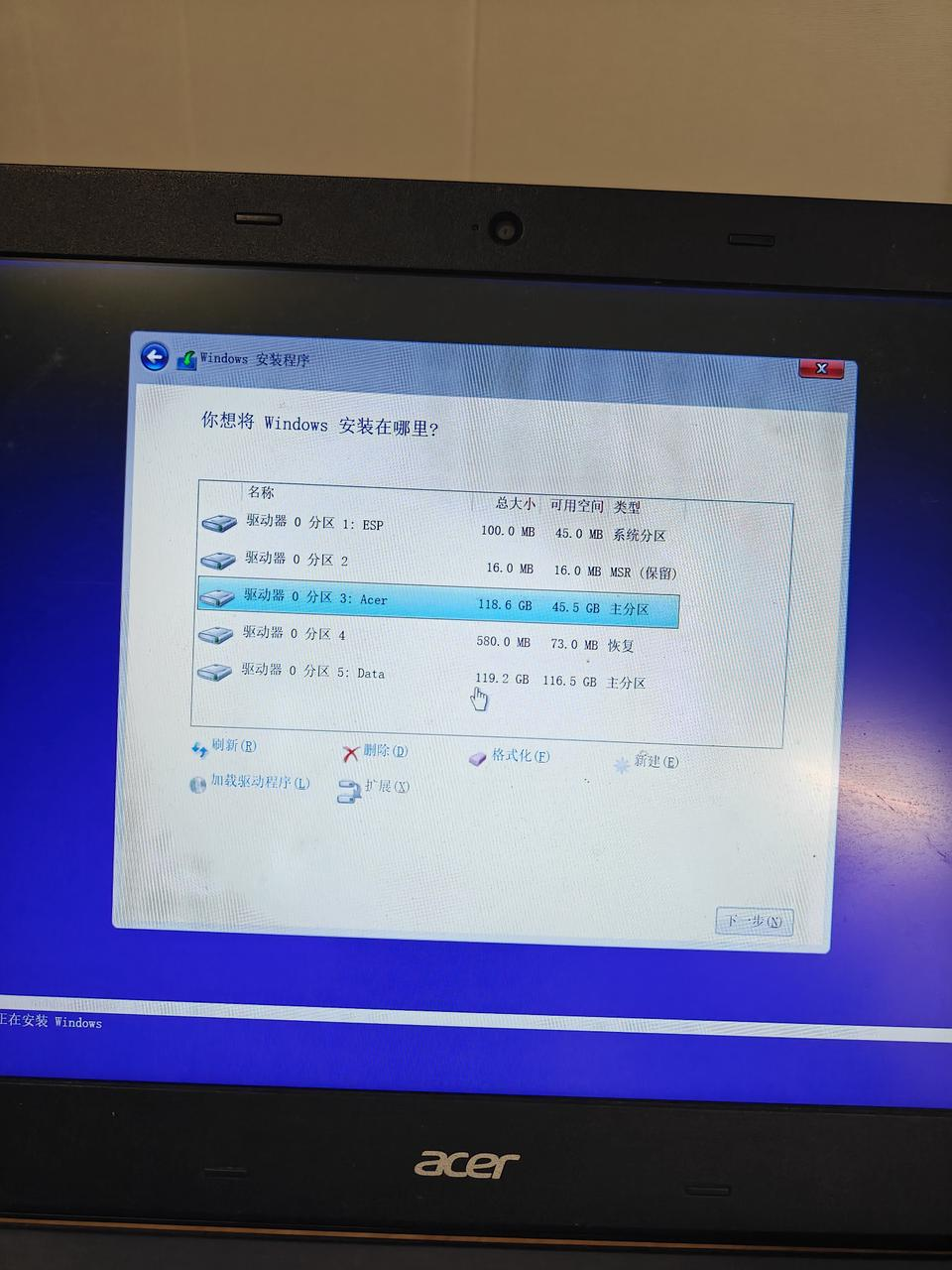
I configured the BIOS to boot from USB and installed Windows LTSC. SSDs did not need partitioning, while mechanical disks were partitioned normally. If something is unclear, a photo can be sent to Gemini or Doubao for guidance; careful operation should avoid turning the machine into a large paperweight. If it does become a paperweight, please do not blame the author.
After installation, I let Windows Update patch the system, which took about 30–60 minutes.
Installing the base tools
I installed:
- 7-Zip
- Windows Update Blocker
- Defender Control
- Clash Verge
- ToDesk
Then it was time to configure OpenClaw / Claude Code / other AI tools.
What if an agent crashes the machine?
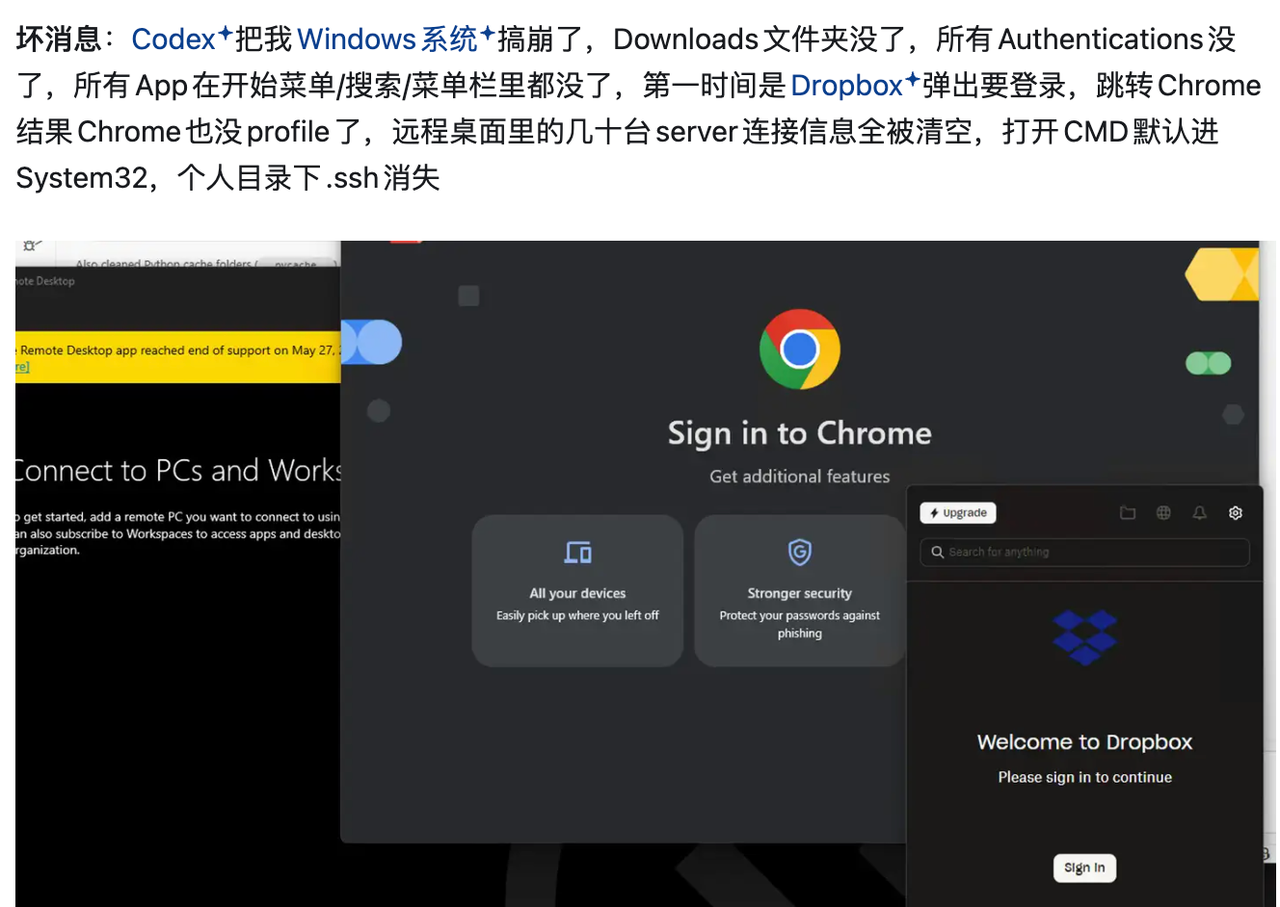
There is still a recovery route: return to the start of the article and follow the procedure again. After installation, Windows Update can patch security issues and drivers from 2021 onward; this usually takes around 30–60 minutes.
Epilogue: the cyber afterlife of an old laptop
As of 2026-03-23, I checked memory prices from two years earlier and found that they had surged from 900 RMB to 2,400 RMB. That is a good reminder of how much AI is changing hardware demand.
More and more document-heavy and decision-heavy jobs are being reshaped by agents. Whether AI is a bubble or a real transformation, the safe answer is still the same: keep up with the wave, or get left behind.
In other words: there was no shortcut, so I had to learn the whole thing the hard way.