Translation note: This English version follows the structure, data, figures, and references of the corresponding Chinese post. It was reviewed and synchronized on 2026-08-03.

Summary: This article uses a recent public mutual-aid spreadsheet to structurally analyze and visualize missing-person cases related to Myanmar scams.
Star Home: Data Analysis of Myanmar Scam-Related Missing Persons (LLM Assisted)
Summary: A concise profile of victims and regional distribution based on a public mutual-aid archive.
Author: AndyCao
Affiliation: Department of Data and Systems Engineering, The University of Hong Kong
Role: Independent analyst (data collection, labeling, visualization, reporting)
Contact: Please use the public contact links on this site.
Time: January 2025
1. Goals and Conclusions
Using a public “Star Home” mutual-aid archive, I extracted structured information and quickly summarized the reasons, time distribution, geography, and demographic profile of the missing persons. The project also tested the efficiency and cost advantages of LLM-assisted labeling for small-scale social issues.
Data source and compliance
- Source: a public Excel sheet collected on 2025-01-14
- Processing: aggregation and anonymized presentation only; no personally identifiable information was included
- Usage note: for public-interest and research discussion only
Key findings
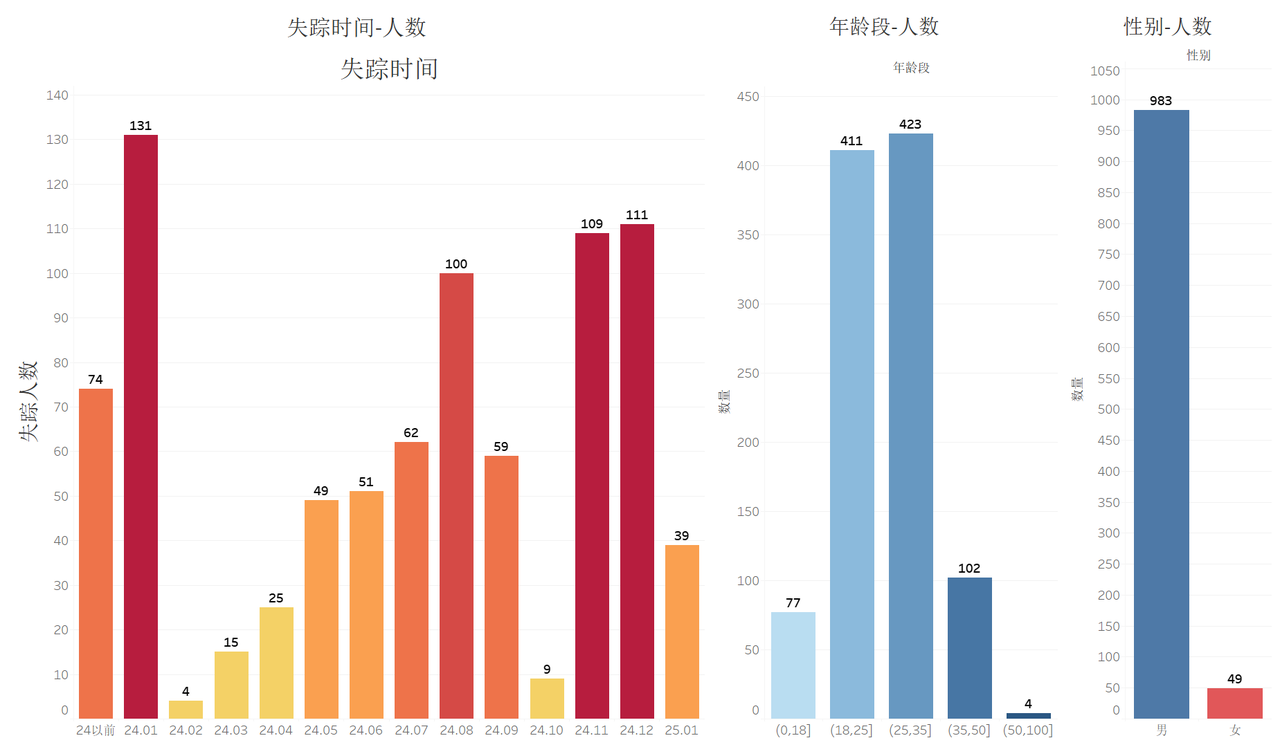
- Profile: 95% male; 80% between 18 and 35
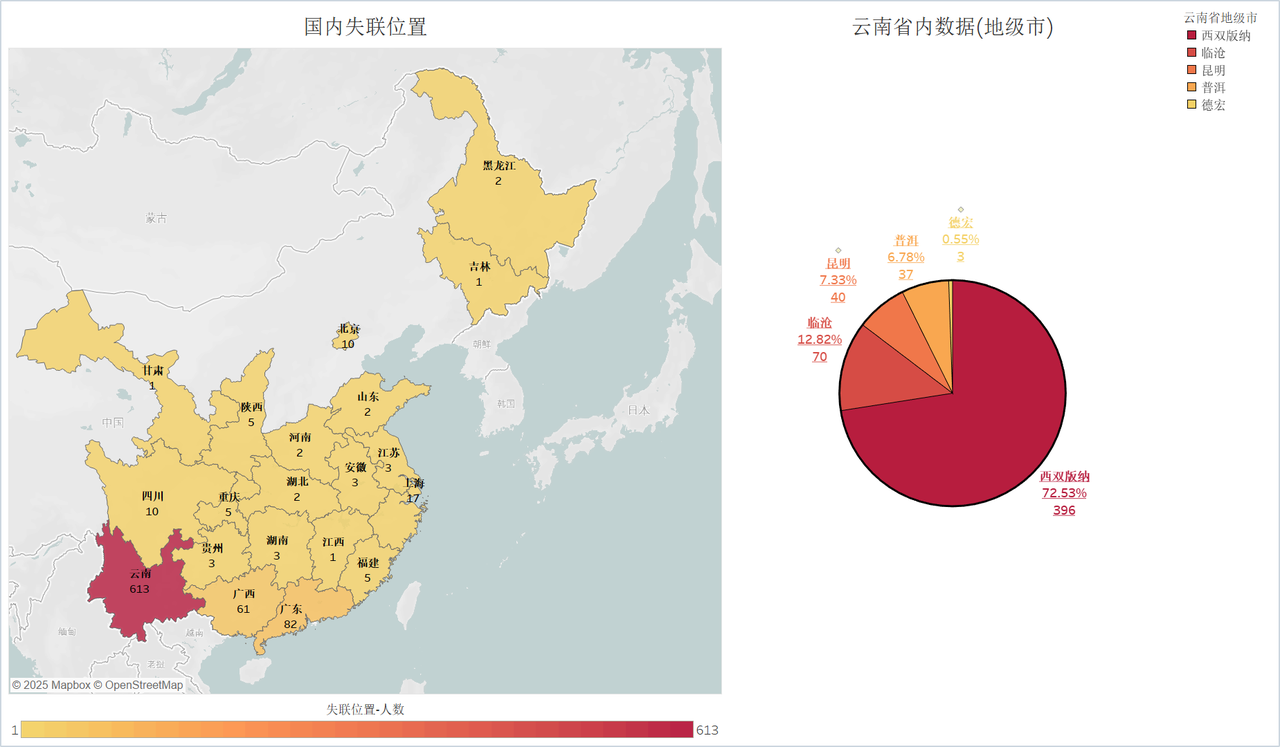
- Geography: 613 records from Yunnan, with 72.53% concentrated in Xishuangbanna
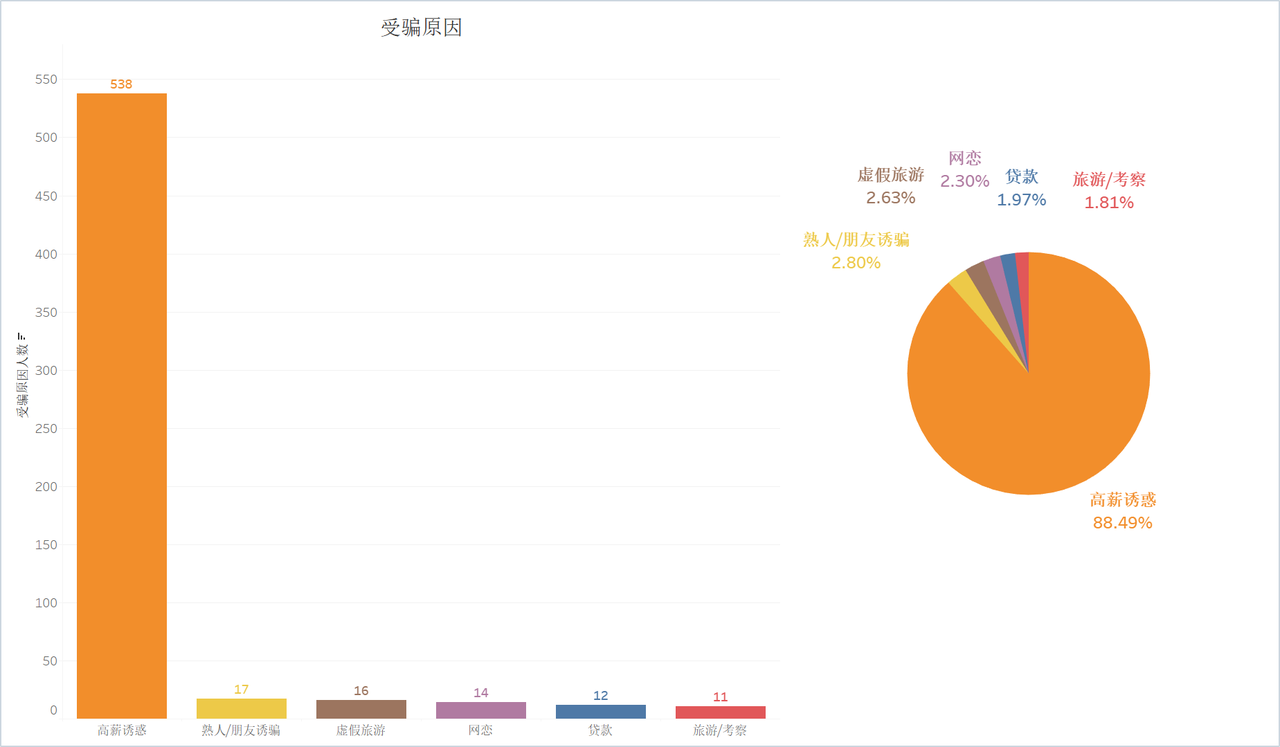
- Cause: 88.49% were lured away by “high salary” promises
2. Project Overview
On 2025-01-14, after the widely discussed “Wang Xing was tricked into Thailand” incident, a public online document called the “Star Home Mutual-Aid Archive” circulated online. I downloaded it and carried out an independent exploratory analysis.
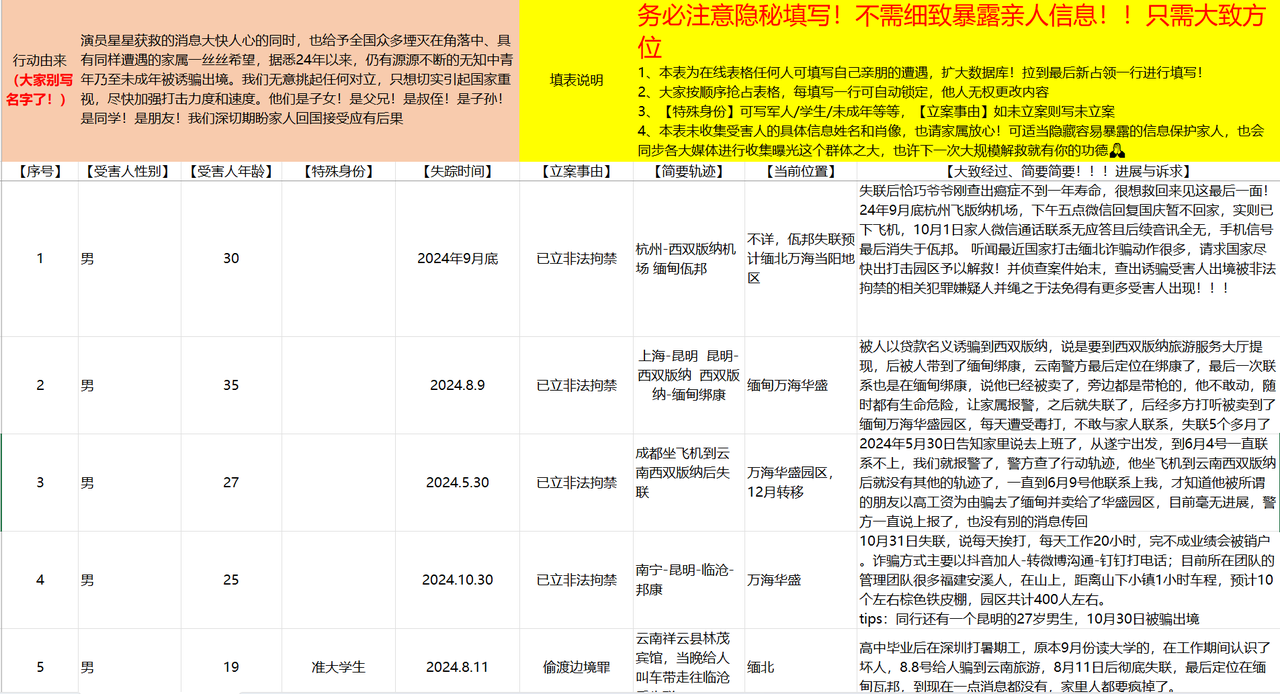
Analysis method
- Data cleaning (Python)
- Read the Excel file with
pandas - Removed redundant columns and normalized dates to a
YY.MMformat - Exported the result into a structured TXT file for copy-paste into the LLM
- Read the Excel file with
- LLM-assisted labeling (Gemini Web)
- Pasted the TXT data into Gemini Pro 2.0 in batches
- Prompted the model to return fields such as cause, time, and region
- Iterated until the output was CSV-friendly
- Statistics and visualization (Excel + Tableau)
- Used Excel for counting and filtering
- Used Tableau for maps, bar charts, and pie charts
Method summary
- Strength: flexible, low-cost, and fast for small public-interest datasets
- Limitation: some ambiguity and occasional hallucinations, so human review is still needed
3. Full Workflow
Step 1: Local data cleaning
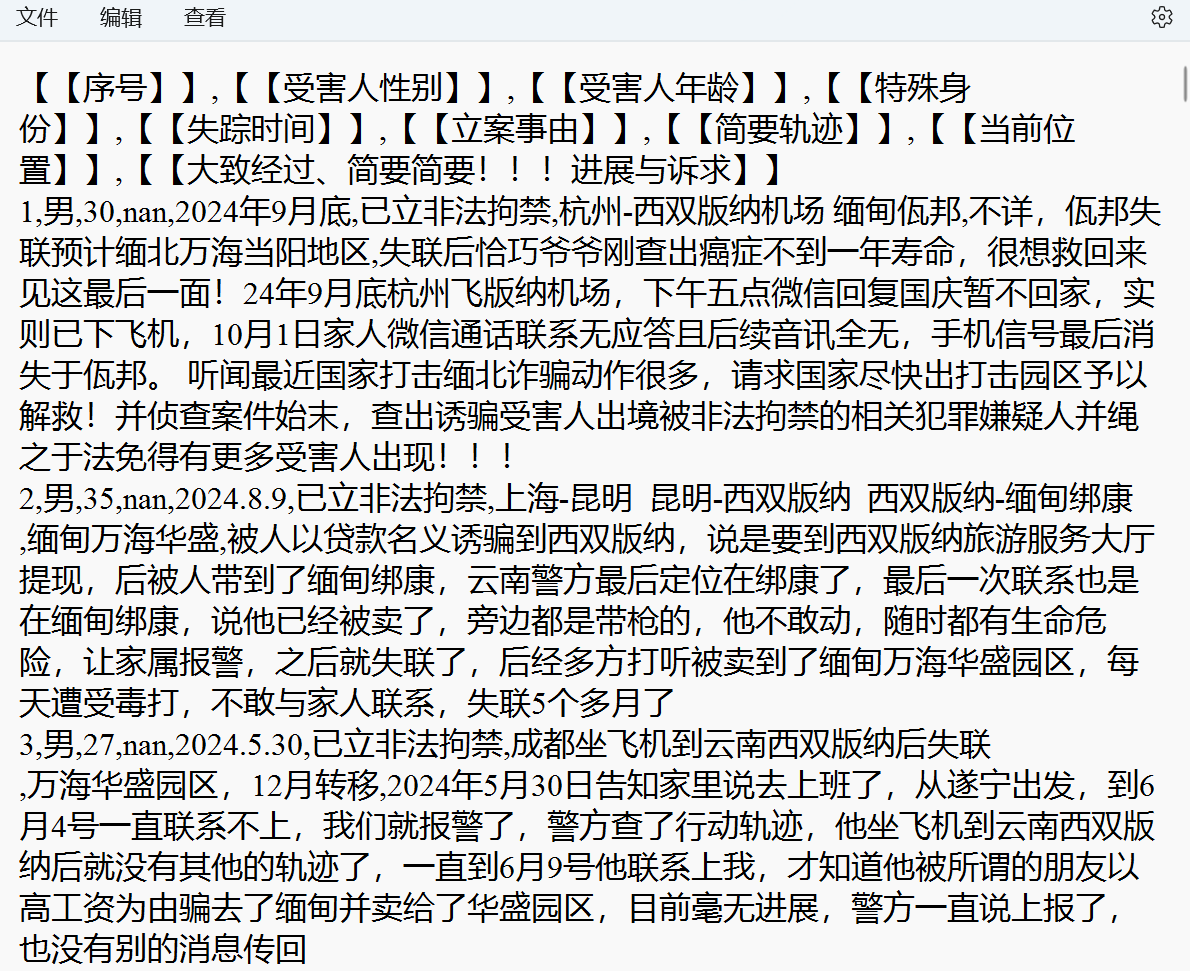
I first exported the Excel sheet into a TXT file with commas so it could be pasted into the LLM more easily.
1 | import pandas as pd |
Step 2: LLM labeling
Because the dataset was small, I did not need an API. I pasted the structured text into Google AI Studio’s Gemini Pro 2.0 and refined the prompt repeatedly until the output could be exported as CSV.
A representative prompt first asked the model to classify the reasons for being deceived and return a CSV-friendly text file with fields such as disappearance number, disappearance date, and reason. I then asked it to make the reasons more abstract while retaining useful details, and finally requested a complete row-by-row output.
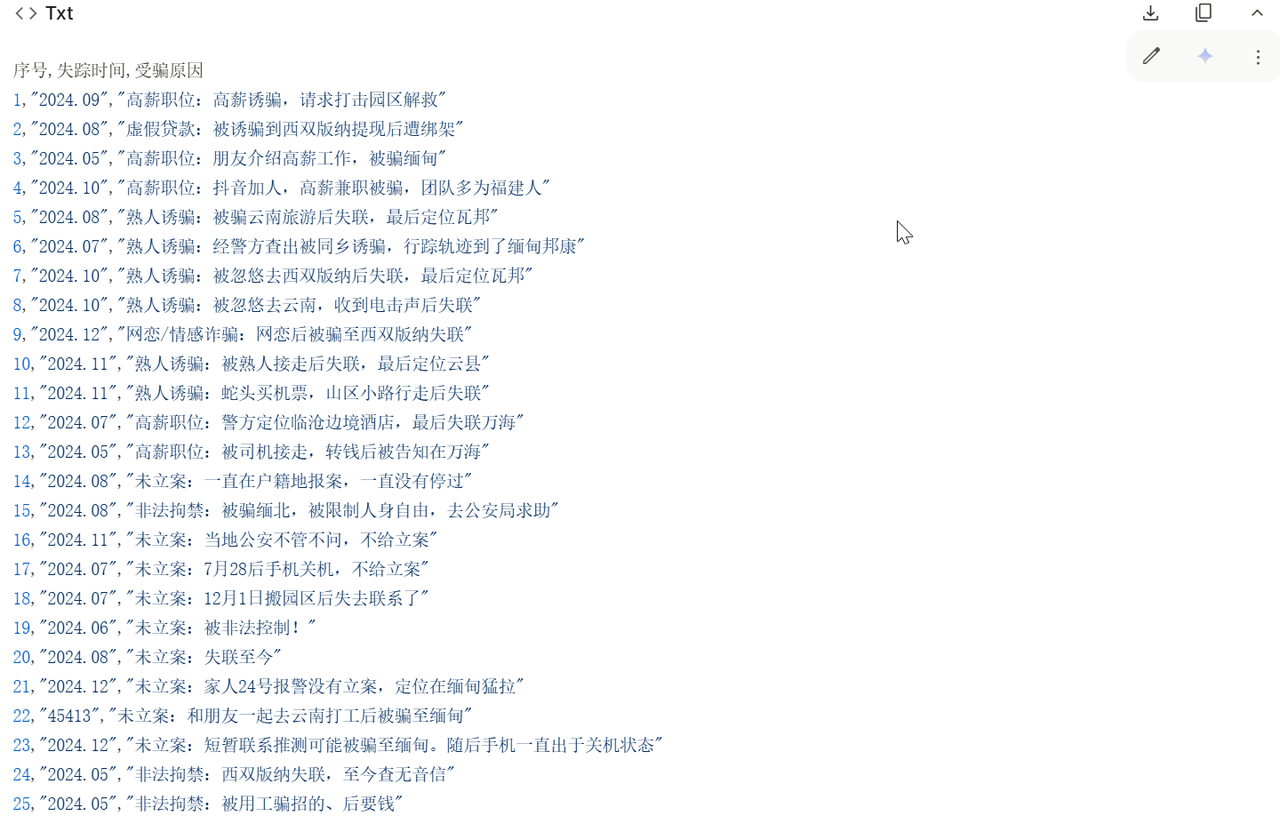
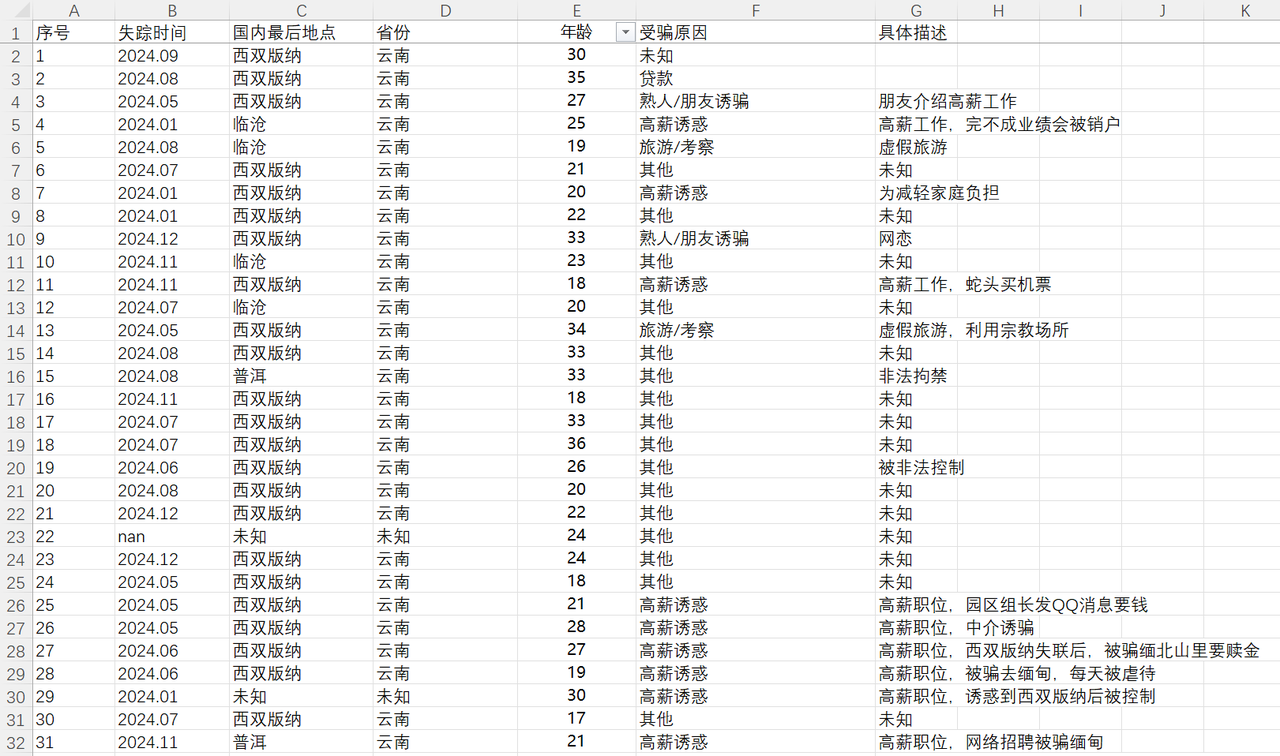
The same approach was used to obtain time, city, age, and cause labels. After that, the results were consolidated into Excel:
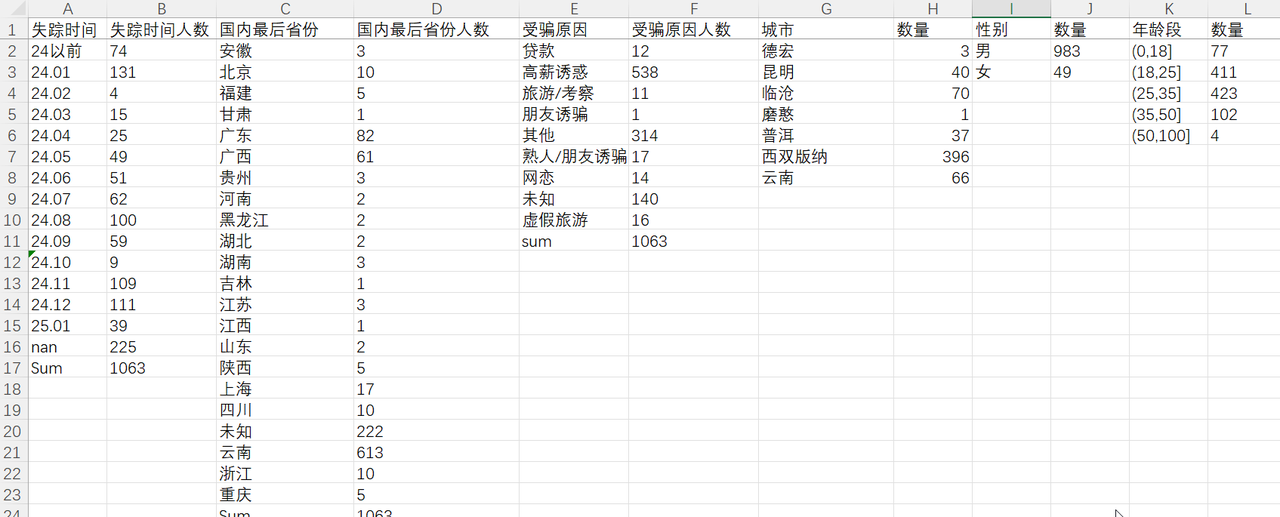
Step 3: Tableau visualization and conclusions
I used Tableau to make the data easier to read and to summarize the final patterns.
Typical profile: 95% male, 80% aged 18–35, 72.53% in Xishuangbanna, and 88.49% lured away by high-salary offers.