
Translation note: This English version follows the structure, data, figures, and references of the corresponding Chinese post. It was reviewed and synchronized on 2026-08-03.

If you want to jump straight into the hands-on part, you can skip to the “How” section and start setting up a private service.
Background
Since ChatGPT took off, AI and large language models have remained a hot topic. DeepSeek-R1, developed by the Hangzhou-based DeepSeek team, became a particularly visible symbol of the current AI wave in China. Around the model were stories about US export controls, official attention, an App Store ranking surge, and the founder returning home under extraordinary security—an unusual mixture of technological confidence, geopolitical competition, and commercial excitement.
When even people who normally keep away from technology started discussing AI, it became clear that the wave was no longer distant. At the same time, the official DeepSeek service often returned the familiar message: “Deep thinking complete — server busy, please try again later.” For an ordinary user, this was often the most immediate problem.

This article uses public information to explain what AI is, why private deployment matters, and how to deploy a personal AI service with the least friction. It is an introductory reference rather than a deep technical tutorial.
What: AI, LLMs, DeepSeek-R1, and Open Source
AI (Artificial intelligence)
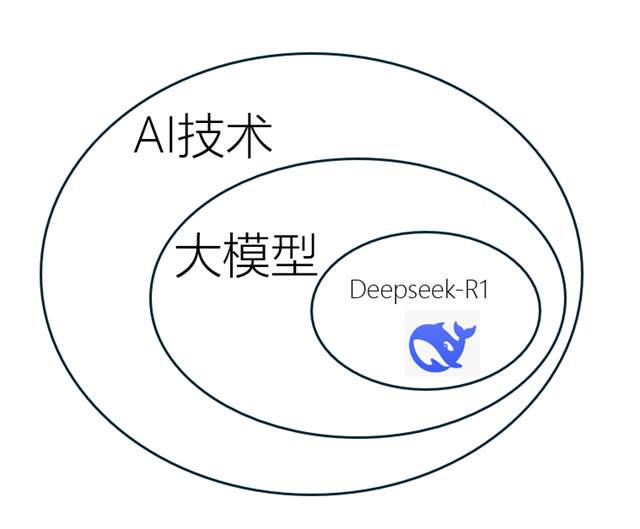
Artificial intelligence is the field of building computers and machines that can reason, learn, and act—activities that normally require human intelligence or involve data volumes beyond human analysis. It is a broad field covering computer science, data analysis and statistics, hardware and software engineering, linguistics, neuroscience, philosophy, and psychology.
At the level of business operations, AI is a collection of machine-learning and deep-learning techniques used for data analysis, prediction, object classification, natural-language processing, recommendation, and intelligent information retrieval.
Reference: Google Cloud — What is artificial intelligence?
Large language model
A large language model is a class of language models built from artificial neural networks with a very large number of parameters—usually billions of weights or more—and trained on massive amounts of unlabelled text through self-supervised or semi-supervised learning.
Reference: Wikipedia — Large language model
DeepSeek-R1
DeepSeek-R1 is short for “Reasoning 1,” the name of DeepSeek’s first-generation reasoning model. After its open release on January 20, 2025, it attracted global attention because its low price was paired with performance close to leading closed models.
In simple terms, DeepSeek-R1 is a reasoning-capable large model and one of the most widely used AI models. Compared with Kimi, Doubao, and ChatGPT, its combination of cost and Chinese-language reasoning was particularly competitive at the time of writing.
Open source
Open source is a decentralized production model in which the design is publicly accessible and can be modified and shared. In software, the goal is to expose foundational resources so that more people can learn from and build on them.
References: AWS — What is open source?
Why did DeepSeek open source?
My view is that it was both a commercial move and a contribution to the public ecosystem. The surrounding discussion includes this Zhihu question and a contemporary market report.
What was the impact of open sourcing?
The release attracted attention across the US technology sector, reached the top of the App Store download ranking in 157 countries, and made talent recruitment and investment capital highly sought after.
Open source was clearly a successful strategy. The simplest analogy is to think of DeepSeek-R1 as an inexpensive “book of answers”: anyone can download and run it. But, just as a free game still needs a capable device, a model also needs suitable infrastructure and expensive GPUs.
Why: server pressure and API access
Why are servers busy?
The likely reasons are straightforward:
- Heavy domestic traffic: DeepSeek became mainstream, and many graduate students and other high-intensity users generated large amounts of traffic before the operations team could scale up.
- Overseas traffic and attacks: The global download surge created additional pressure, while frequent attacks led to restrictions on overseas IP registration.
- Competitive pressure: The “business war” has a visible side—rapid model releases—and a less visible side—attempts to attack competitors’ services.
It is therefore not necessarily because a user asked a strange question and was personally targeted. If an account really is blocked, it is worth reflecting on what it was used to ask for, though.

Why use API calls?
Besides using DeepSeek through the official website or app, users can access DeepSeek-R1 through shared APIs, cloud deployment, or local deployment. Privacy generally increases along that path, while convenience decreases.
API calls
An API is an interface that defines how software components communicate. It lets developers use another system’s capabilities without knowing its implementation details, enabling modularity, reuse, interoperability, and faster development.
If an answer from DeepSeek-R1 is like receiving a meal, an API call is ordering delivery from a large restaurant; cloud deployment is renting a professional kitchen; local deployment is installing a professional kitchen in your own house.
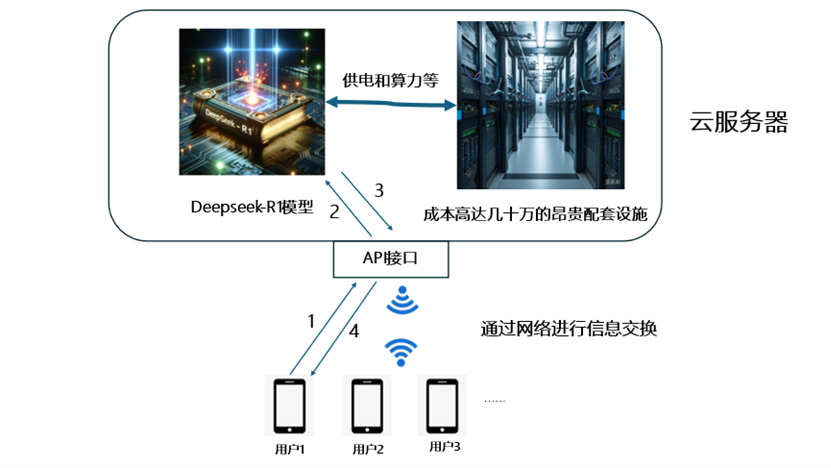
The flow is:
- A user sends a request—text, an image, or another input—from a device through the network to an API endpoint.
- The API forwards the request to the DeepSeek-R1 model.
- The model processes the request and returns the result to the API.
- The API sends the result back through the network to the user’s device.
In short: user request → API → DeepSeek-R1 model (supported by cloud servers) → API → user response.
Cloud deployment
Cloud deployment differs from a shared API in the same way that a private car differs from a public bus: the resources are dedicated to you. It can be understood as an exclusive API arrangement.
Local deployment
Is an inexpensive local deployment of a large model impossible? Not necessarily. Quantization and distillation can lower the required hardware, although the result may be less accurate or slower.
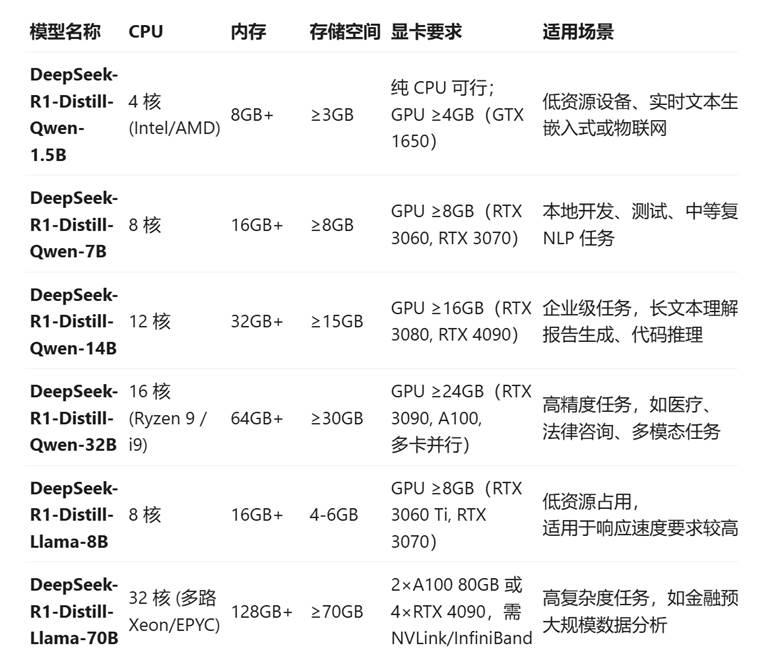
For example, in DeepSeek-R1-Distill-Qwen-1.5B, “Distill” means knowledge distillation, “Qwen” refers to Alibaba’s Qwen model family, and 1.5B means approximately 1.5 billion parameters. The larger the parameter count, the more capable the model tends to be.
The full model and the smallest distilled model are separated by a large capability gap:
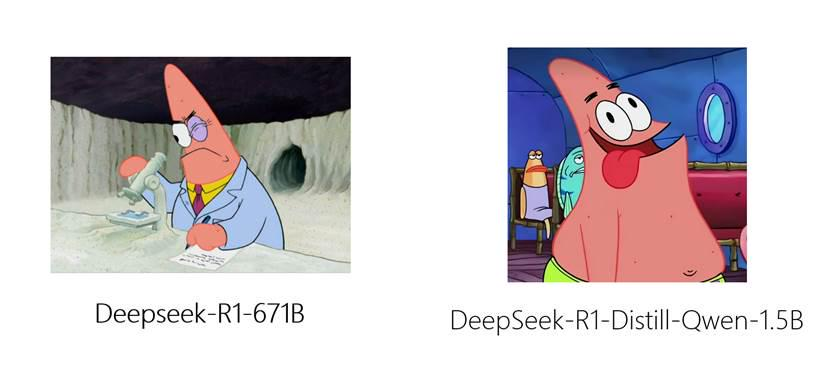
Local deployment offers low ongoing cost, full offline operation, and the strongest privacy protection. It may also allow users to explore capabilities that hosted services restrict. The legal and safety implications of those techniques are outside the scope of this guide.

Why private deployment costs money
At this point some readers may ask: “Doubao and DeepSeek are free on the web. Why should private deployment or API access cost money? I only want to use it for free.”

The free version of an official website is a public-benefit service with limited shared resources. Private deployment needs more stable and dedicated resources, so it costs more. The current AI market is still competing for users, which is why many official services are subsidized rather than fully priced.
The deployment and API methods described here still incur venue, electricity, network, and maintenance costs. They cannot be free forever, although a small fee can be worthwhile when it creates meaningful value and efficiency.
A side note on ads and privacy
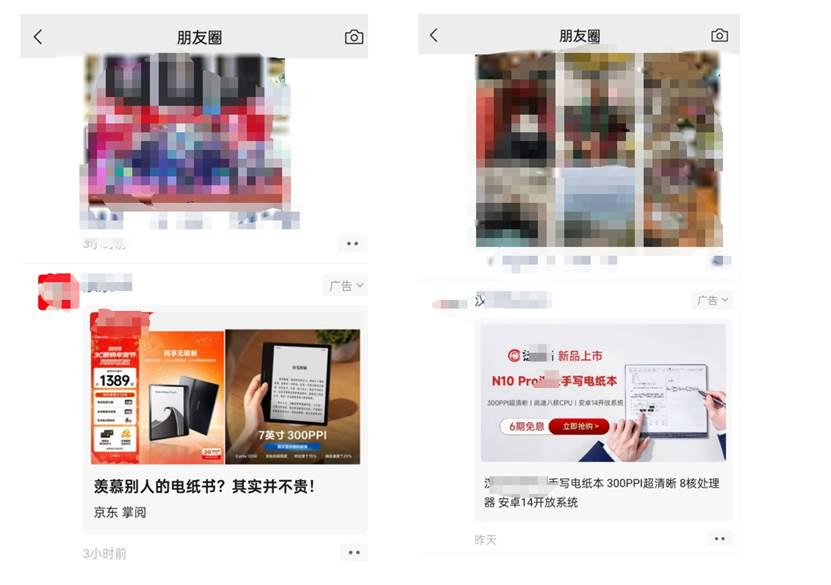
The image above shows an advertisement that appeared in my social feed after I searched for an e-book reader on an e-commerce platform. Advertising can strongly influence behavior, and AI will make this more consequential.
Imagine revealing your school, address, financial situation, and relationships across many AI conversations. The system could infer a vulnerable profile and show a high-paying recruitment advertisement precisely when you are emotionally distressed. In the information age, total privacy is almost impossible, so the practical response is to expose less information, avoid unknown AI software and APIs, and be careful about what is included in prompts.

How: A private setup with Chatbox
If you want a simple GUI instead of a complicated API-only setup, Chatbox is a practical choice. It is open source, cross-platform, and supports API connections.
Official website: https://chatboxai.app/zh
I tested it because I wanted to see whether a low-friction setup could still work. According to the product’s About page, its developer Benn originally built it for his own convenience. I did not receive payment for mentioning the product; I spent RMB 28.96 on the experiment.
By the time of the original article, the project had accumulated around 30,000 GitHub stars. Chatbox supports three platforms, and after purchasing API access or tokens it can be used with a short configuration process. A token can be thought of as a balance: both generating and understanding text consumes tokens. In one small test, three questions and their reasoning consumed approximately 4,514 tokens across about 3,600 Chinese characters.
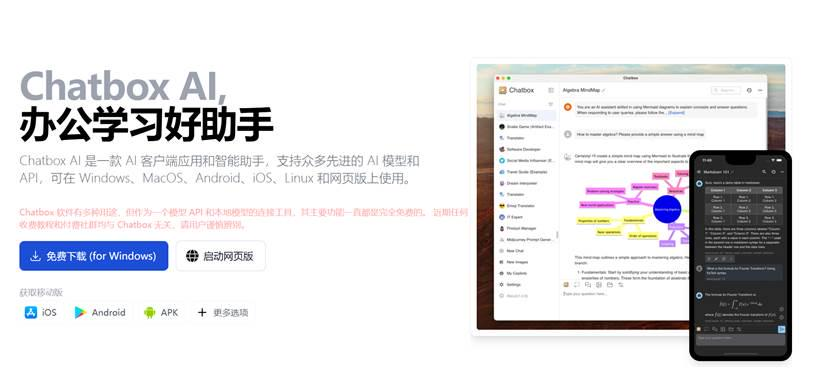
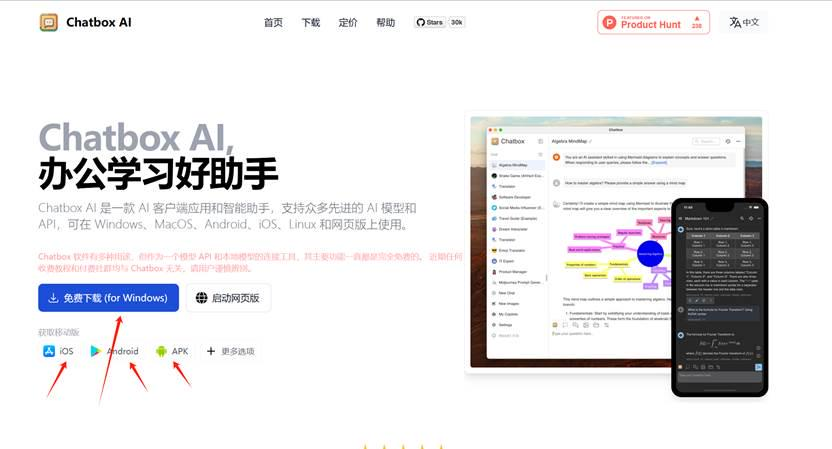
Step 1: Download the app
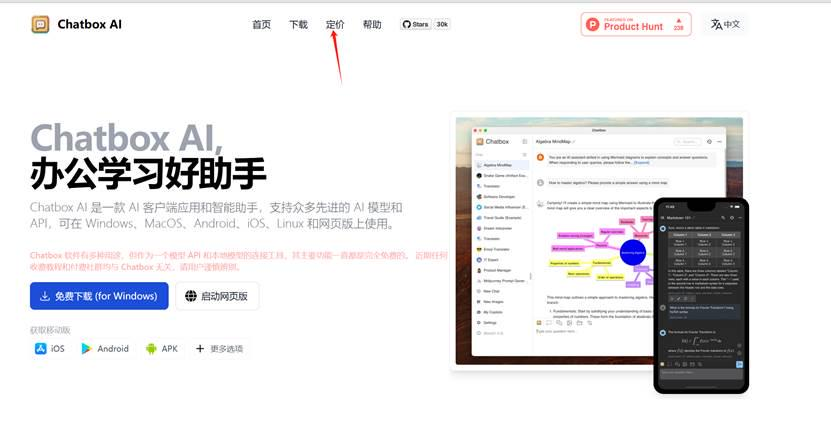
Step 2: Check pricing
Step 3: Pick a plan and pay
I chose the plan that matched my usage needs.
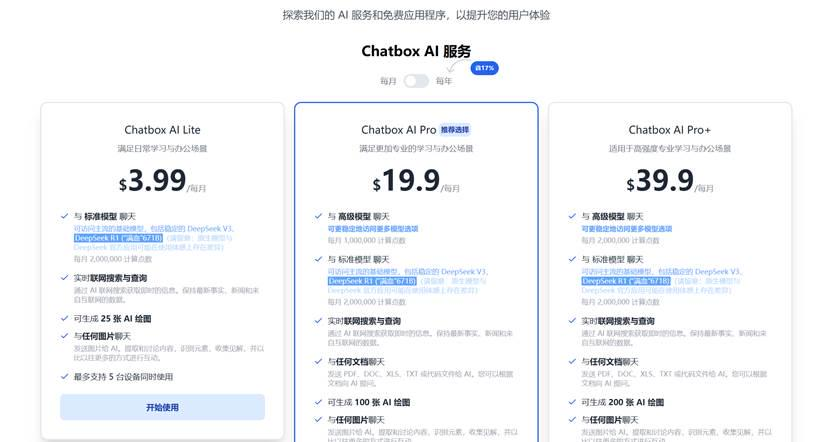
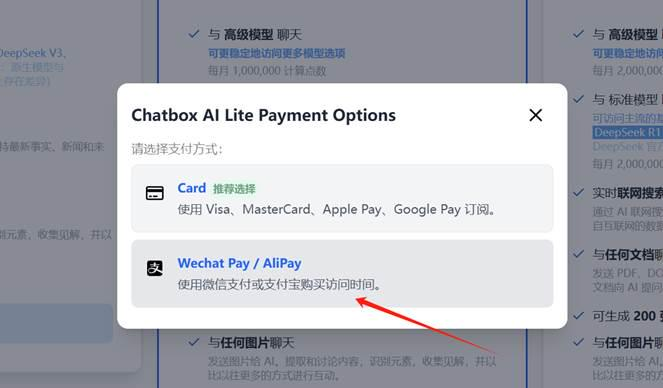
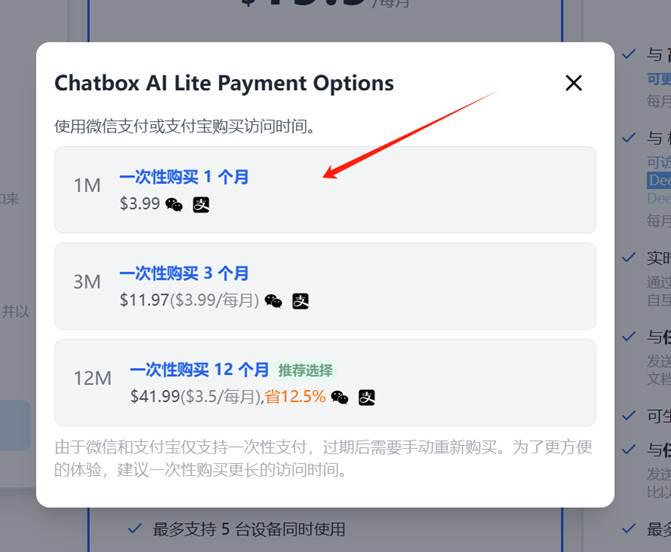
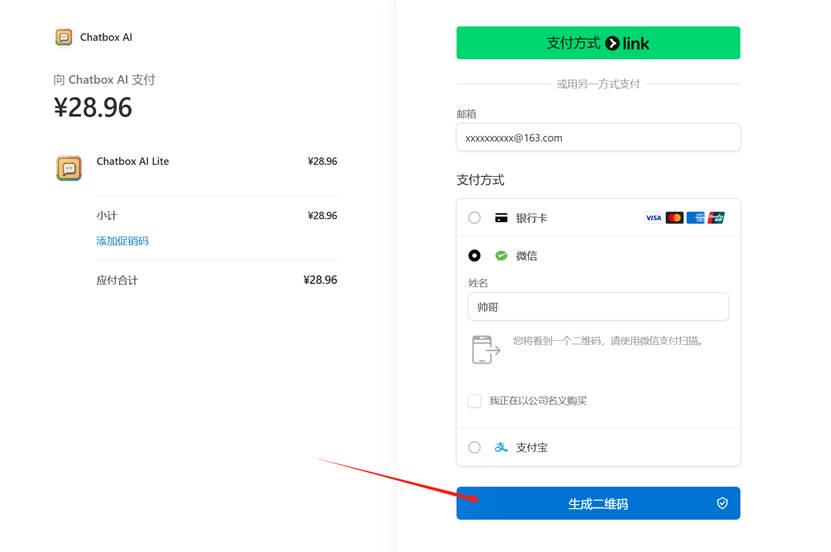
Use the correct email address here: it is the only credential for recovering the API key.
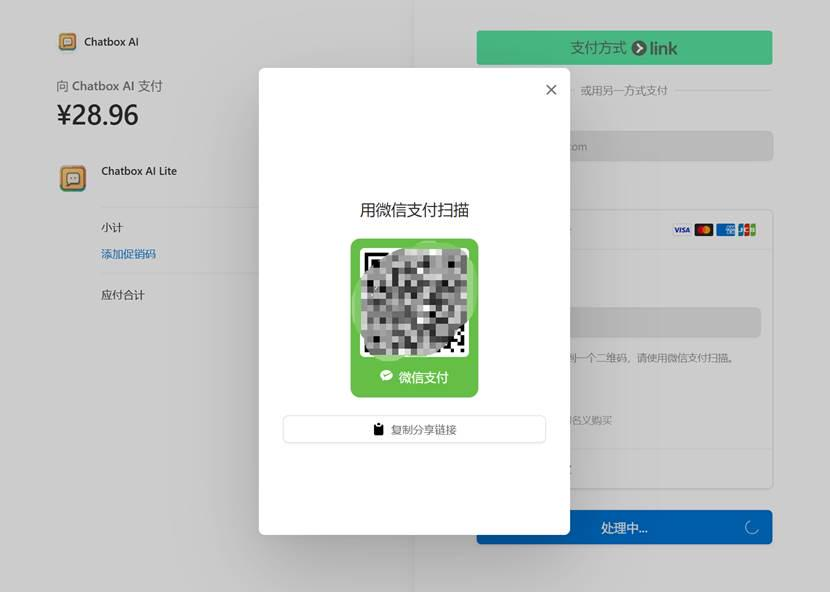
I recommend avoiding a long subscription because the AI market changes quickly. A cheaper or better service may appear before the long plan ends.
Step 4: View the API key
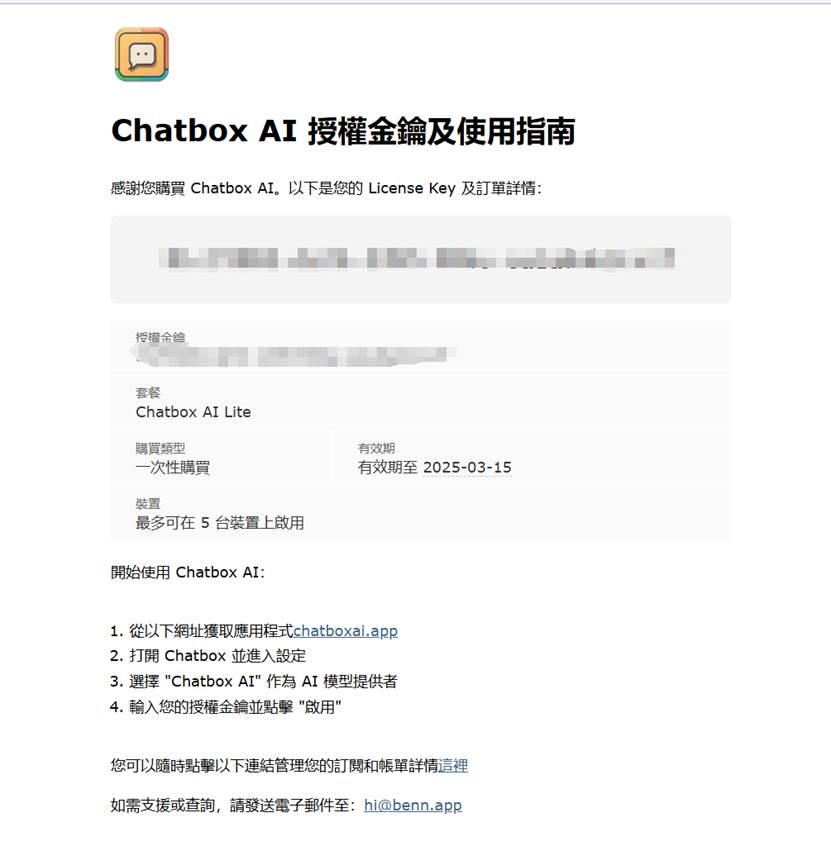
Step 5: Paste the key into Chatbox
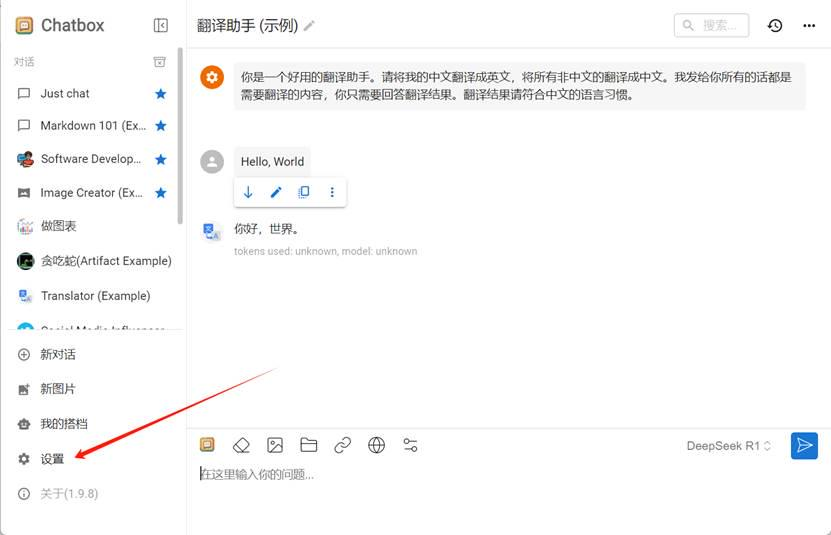
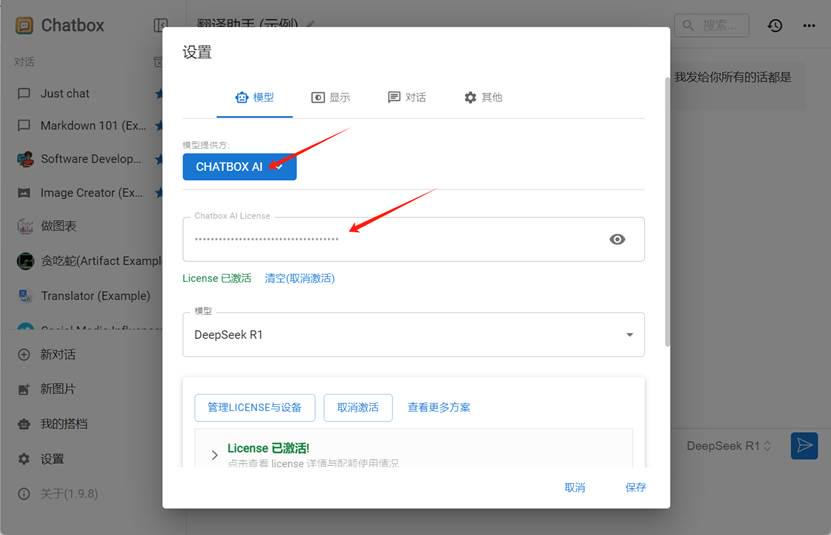
Step 6: Start using it
If you do not want to use Chatbox’s API, other API vendors are available. Because DeepSeek released its models, companies with the ability to deploy a full model have begun offering their own APIs, often with introductory free quotas. Examples include Alibaba Cloud, Tencent Cloud, Volcano Engine, SiliconFlow, and SenseTime.
- Volcano Engine: a promotional free quota may be available at the official site.
- SiliconFlow: invitation credits may be available at the official site.
- SenseCore: promotional quotas may be available at the official site.
For smaller or unofficial vendors, be especially cautious about privacy leakage. Search official documentation and reputable tutorials rather than copying unknown API configuration snippets.

If someone wants the newest technology at zero cost, refuses to read documentation, and expects every tutorial to be delivered directly into their mouth, they have run into an impossible triangle:
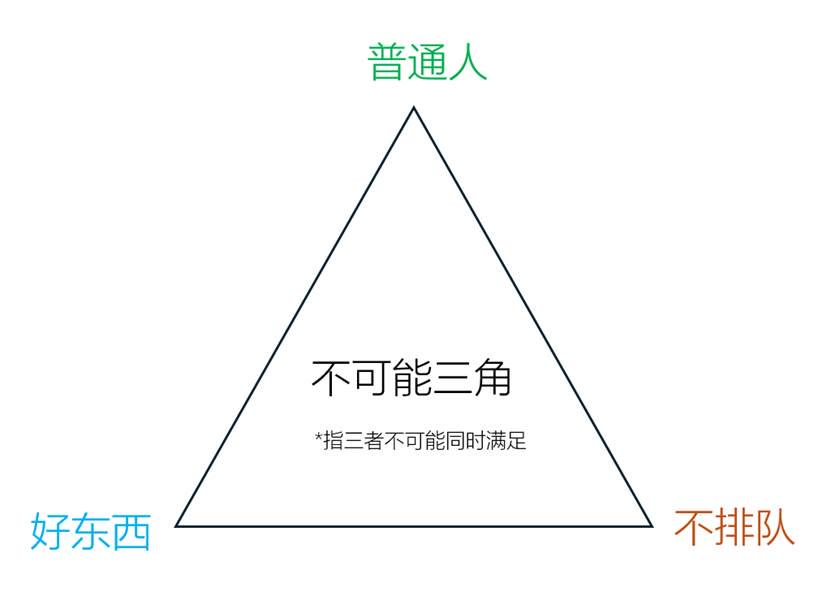
As one Chinese teacher joked: go home, kid—you may be better suited to doing nothing. The joke is deliberately exaggerated; the practical point is that free, effortless, and cutting-edge rarely arrive together.
Conclusion
As robots and AI develop, many routine jobs will be replaced. What, then, is the value of a human being? DeepSeek gave me an answer worth keeping:
Humanity’s real crisis is not replacement, but measuring new possibilities with an old value system. When machines take over deterministic work, we gain the freedom to explore uncertainty—the most valuable force in civilizational progress. Your value is not in competing with AI on efficiency, but in opening territories that algorithms have not yet defined.
The practical lesson is to keep learning, accumulate small improvements, and ride the AI wave rather than being left behind by it.

Please keep exercising. If the situation becomes uncontrollable, perhaps the most useful emergency role will be joining the team that unplugs the AI server—at least it should still be possible to earn a living among the humans who remain.