
Translation note: This English version follows the structure and figures of the corresponding Chinese post. It was reviewed and synchronized on 2026-08-03.
Managing token access with CC-switch
CC-Switch is a cross-platform open-source tool for managing AI API access.
Project link: CC-Switch repository.
As of May 15, 2026, it has 71.3k stars on GitHub.
Today, computing power is like electricity—it’s becoming a basic infrastructure. You can freely download Claude Code, Gemini CLI, Codex, Opencode, Openclaw, Hermes Agent, and other coding agents on your personal computer. But the “electricity” that powers these agents isn’t free, and different “power resources” vary in quality. So a rational user should know all suppliers, not just use one.
How it works
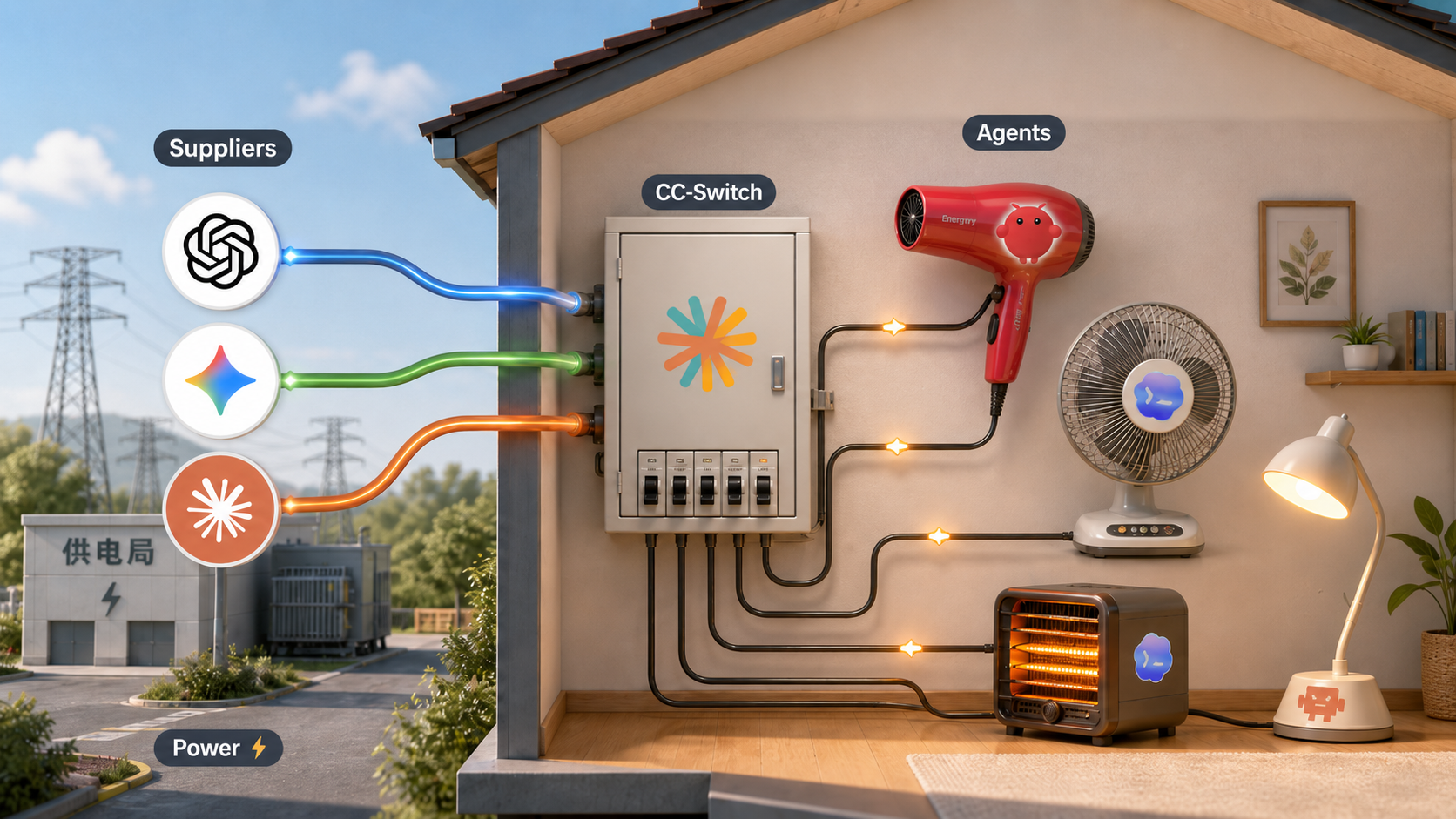
For developers who frequently use coding agents, a new problem arises: when a cheap coding plan or subscription quota runs out, they have to switch to another provider. Switching requires manually modifying configurations—a simple but tedious step. So some developers created a tool for quickly switching subscriptions: CC-Switch.
If we compare AI agents to appliances, then model APIs are electricity, official subscriptions and third-party relays are different power suppliers, and CC-Switch acts like a “distribution box” on your personal computer. It doesn’t solve the “whether there is electricity” problem, but rather “how to switch power sources with less friction, more order, and more control.”
Usage
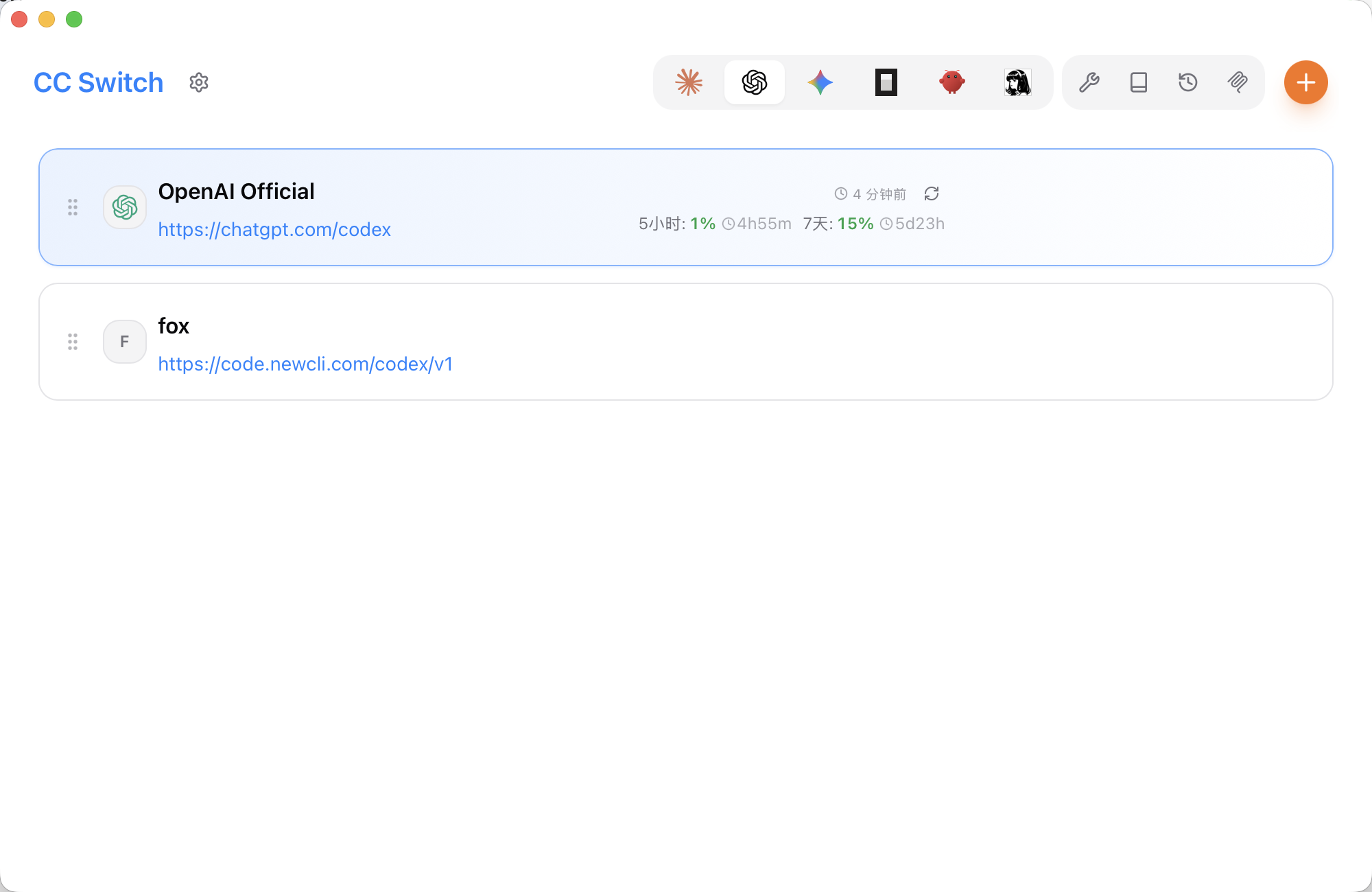
As shown above, after downloading from the official repository, the interface looks like this. It supports quick configuration detection and switching for mainstream agents.
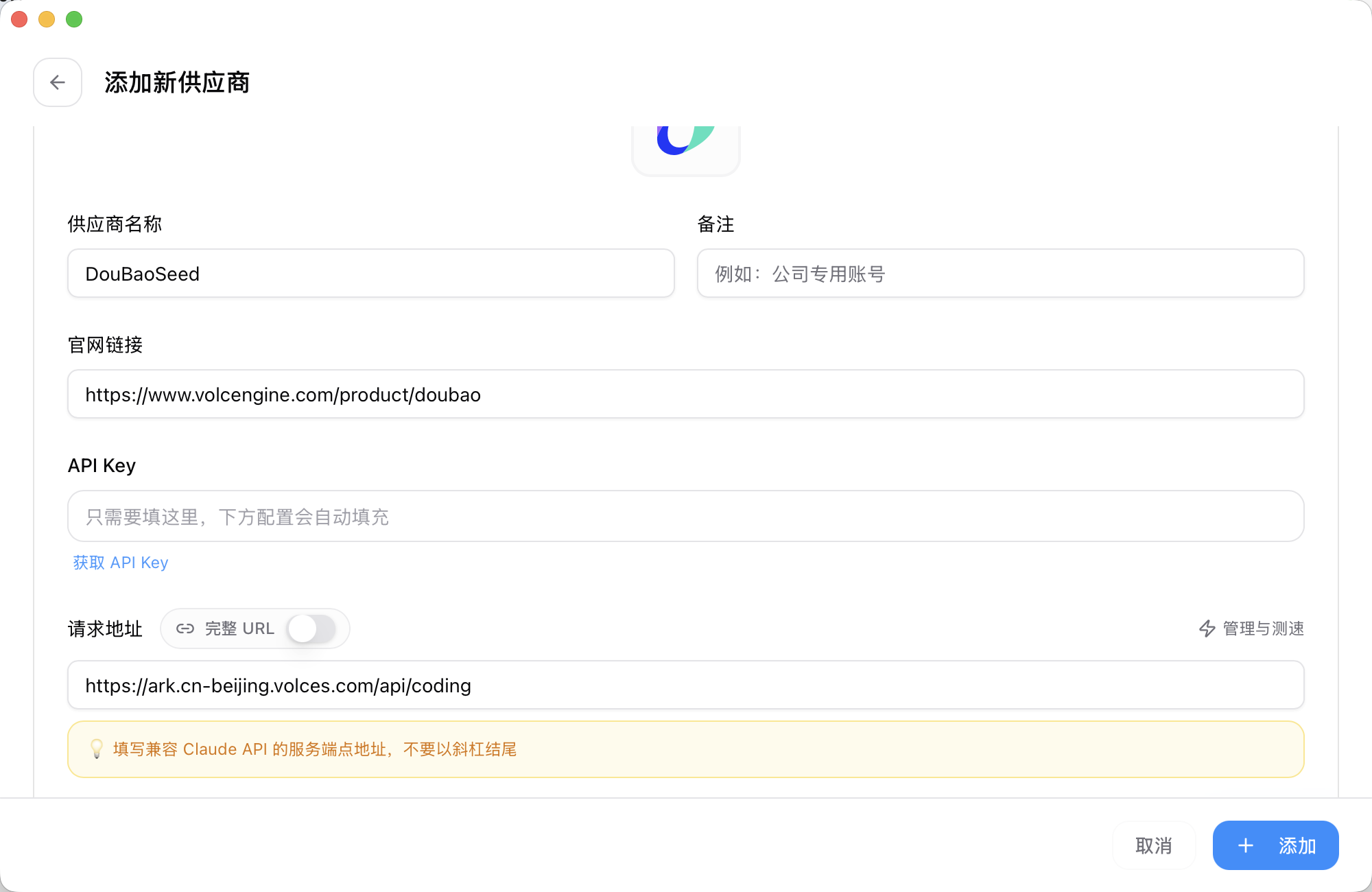
To add subscription management, click the ➕ in the top right corner, then fill in the Endpoint, API Key, and model name from the platform. After saving as a single configuration, you can quickly switch on the home page.
Additionally, there are session history management, Skill management, MCP server management, and other features.