
A three-hour case study of using AI tools for industry research and presentation production.
Translation note: This English version was translated by Codex (GPT-5) on 2026-08-04. The source text is the corresponding Chinese post in this repository.
One interview assignment became an AI workflow experiment
This article records a case-preparation process from a consulting-company interview a few months ago: how I researched an industry under a tight deadline and turned the result into an English PowerPoint presentation.
The first round was an in-person interview. The interviewer later told me that I was the first person in my group to reach the second round. The second-round assignment was to choose a topic or industry I knew well, conduct research, and deliver a full presentation in English.
I did not treat it as a traditional “search for information and make some slides” assignment. Instead, I treated it as a small AI-assisted delivery experiment: if AI can participate in so many workflows, can it also participate in industry research, argument development, and presentation production at the same time?
I spent roughly three hours from the beginning of the research to the finished PPT. That is not enough time to complete a comprehensive industry study, but it is enough to turn an ambiguous prompt into a set of claims, charts, and presentation structure that can be explained clearly.
Why I chose software development
At the time, I was working on my own AI-native food-management product, Shiguangji, so I already had some practical intuition about how AI could change software development.
My basic view was that AI would not affect only code generation. It would also enter requirements analysis, architecture, testing, documentation, deployment, and operations. I therefore chose software development in the high-tech sector and narrowed the topic to one question:
When AI can generate code faster and faster, where does the real bottleneck in software engineering move?
That question became the main thread of the deck. My conclusion was not that “AI will replace software engineers.” It was that AI may compress the implementation stage while moving more pressure into requirements definition, code review, system integration, security governance, and outcome verification.
The original toolchain
At the time, I had a Google Gemini Pro subscription. The main tools I used were Gemini Pro’s Deep Research, NotebookLM, and WPS Office.
| Tool | Role in the case |
|---|---|
| Gemini Pro / Deep Research | Search papers, company materials, and industry reports; narrow the research question; and produce a research draft with source leads |
| NotebookLM | Consolidate the research material and quickly generate a first presentation through Slide Deck |
| WPS Office | Adjust the NotebookLM output, including page layout, text, and visual details |
| Human judgment | Choose the topic, select the arguments, decide the narrative order, and prepare the final English delivery |
The important point was not which tool was “the best.” It was how the tools were assigned different responsibilities: one expanded the research surface, one consolidated the material, and one assembled pages quickly. The final selection and expression still came from me.
Gemini Pro: expanding the research surface and narrowing it into a story
I first used Gemini Pro’s Deep Research feature to investigate how AI could reshape software engineering. It could access and organize material from relevant paper databases, company websites, and industry reports, including papers on arXiv, public technical reports, and software-development research.
The result was not just a list of search results. It was a research draft with citation leads. Through several rounds of conversation, I narrowed the broad question of “how will AI change software engineering?” into questions that could work in a presentation:
- Can AI-generated code outpace human review and integration capacity?
- How should AI-generated code be checked for semantics, security, and business correctness?
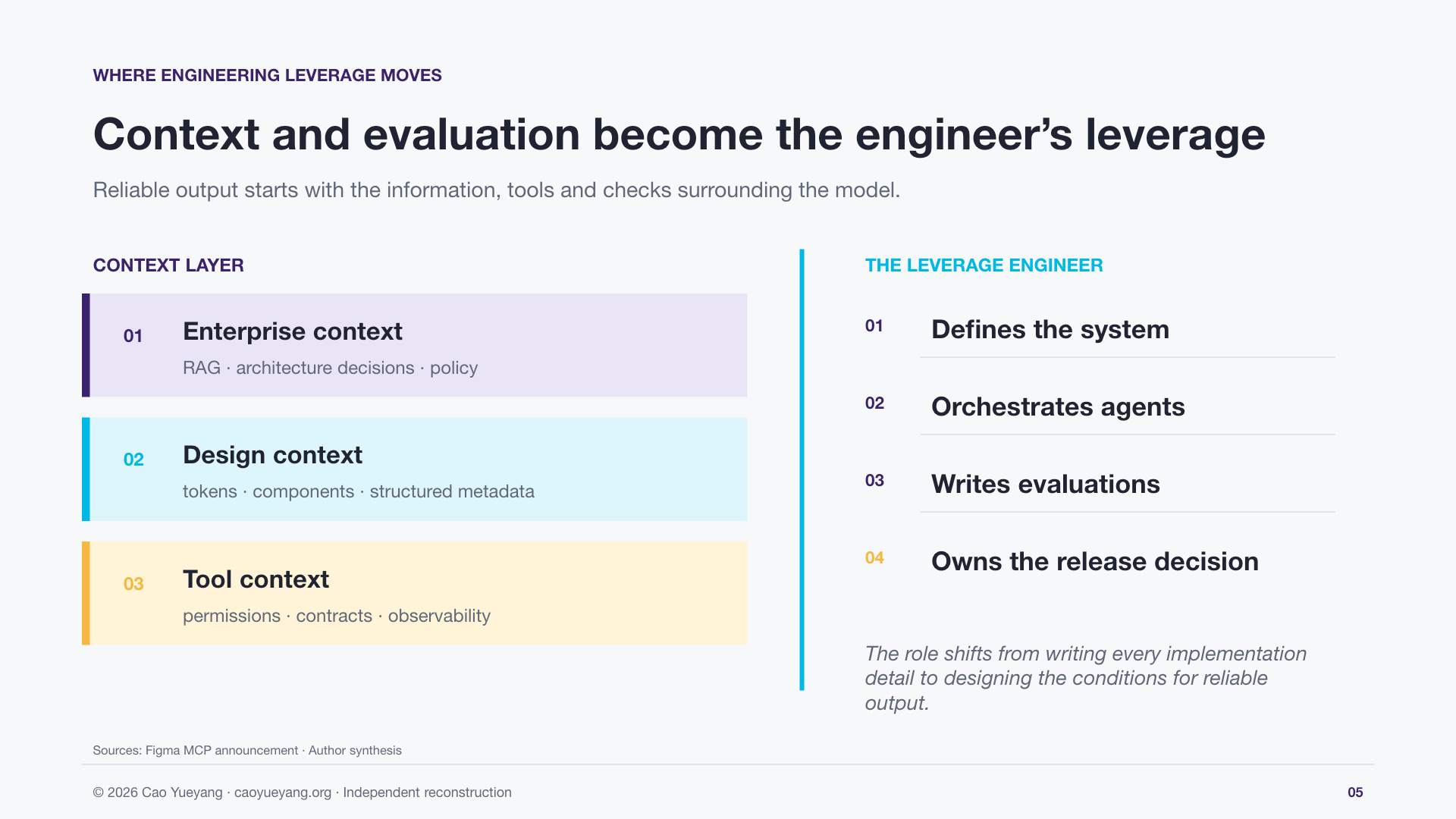
- Will software engineers move from implementation toward definition, orchestration, and evaluation?
- How do enterprise knowledge, design systems, and tool permissions become working context for AI?
I then asked Gemini to help organize the presentation structure and draft the prompt for the slide content before passing the material to NotebookLM.
NotebookLM: from research material to a first presentation
I imported the research material from Gemini into NotebookLM and used its Slide Deck feature to generate a first PPT.
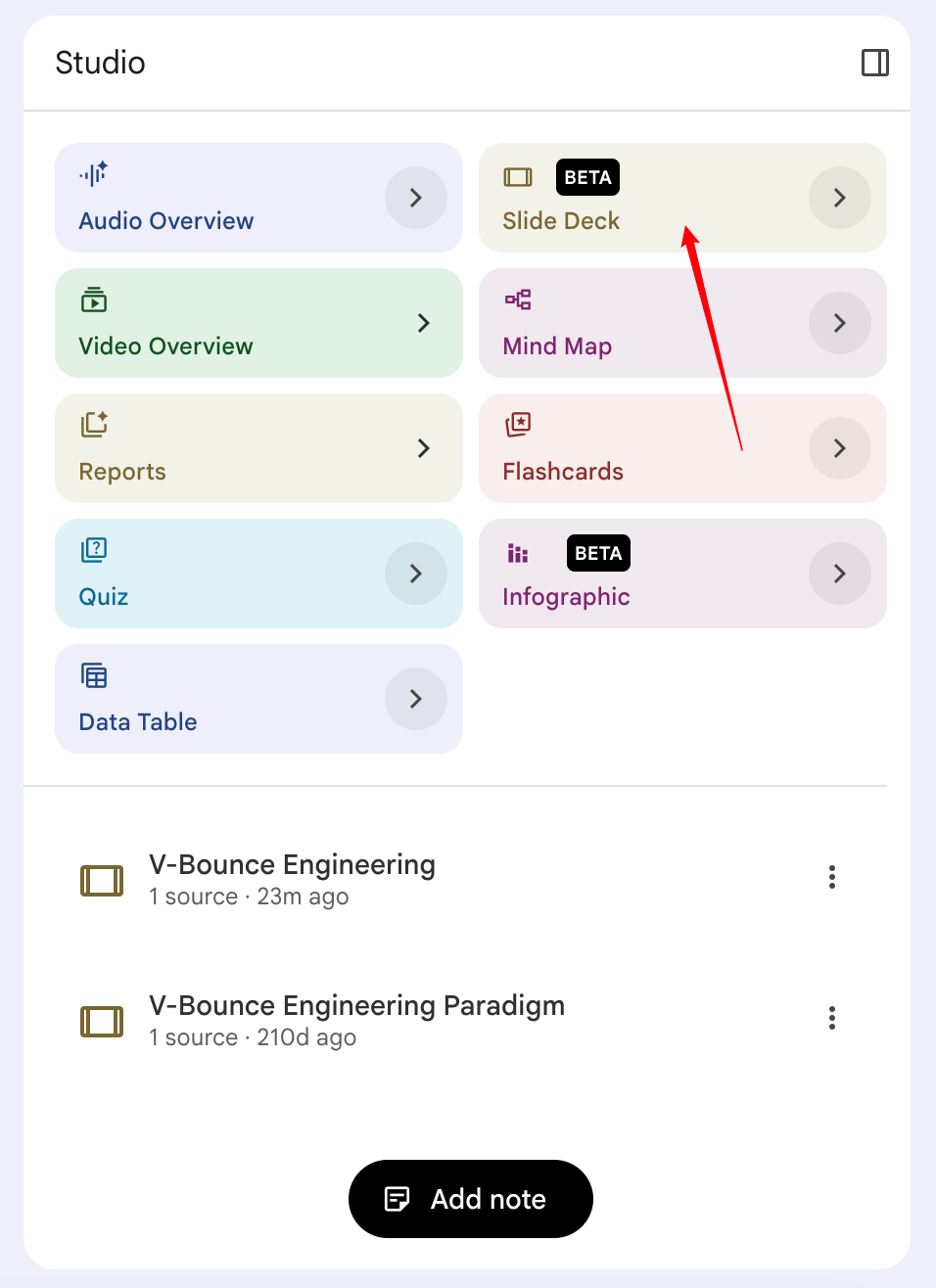
NotebookLM was useful not simply because it placed text on slides, but because it converted the research material into a browsable narrative structure. For someone who needed to prepare an English presentation in a short amount of time, it reduced the distance between “research material” and “a story that can be presented.”
WPS: turning generated pages into a deliverable interview deck
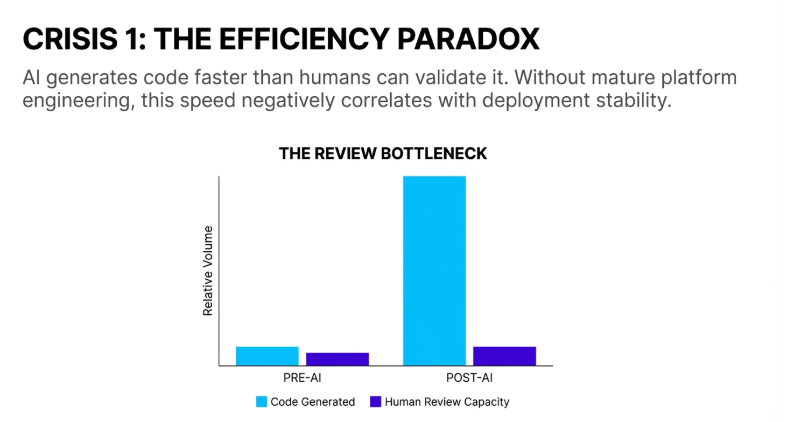
The pages generated by NotebookLM were not yet a final deliverable. They were closer to a content and layout draft. The title hierarchy, text density, chart proportions, and page rhythm still needed human adjustment.
I used WPS to refine those details and align the visual language with the interview context, including page layout, colors, titles, and the interview company’s visual identity.
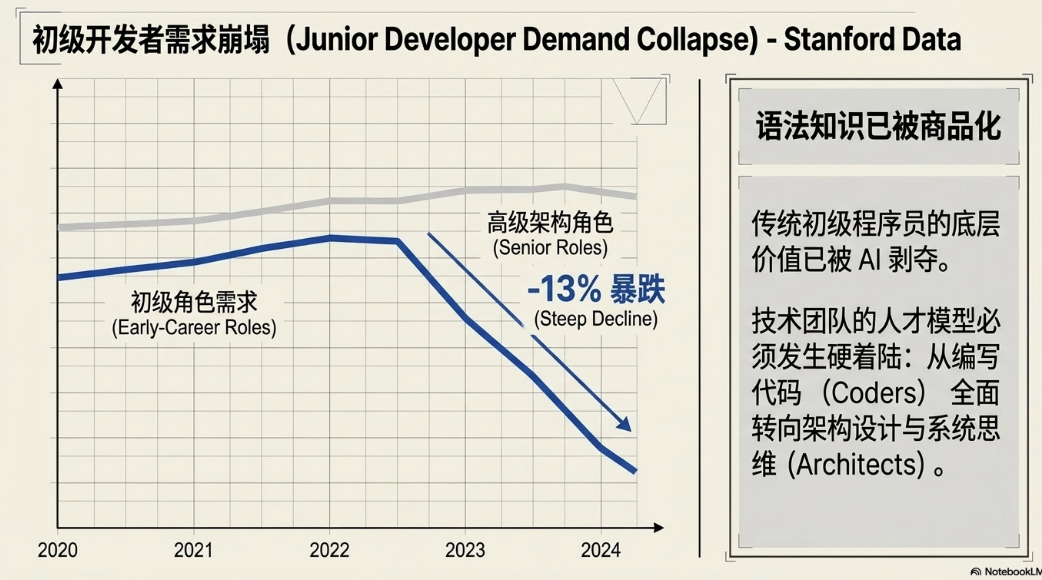
The following examples show several pages from the generation and adjustment process. They lean toward a clean, professional, research-report style; the exact visual direction can be influenced by prompts and later layout work.
Clicking Slide Deck again on the same project
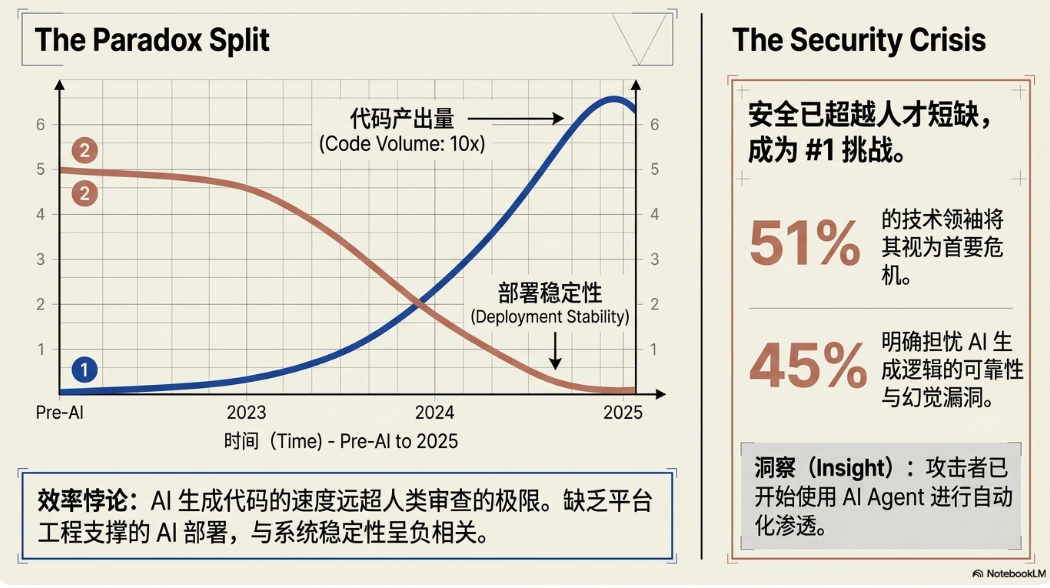
On August 4, 2026, I opened the original NotebookLM project again and clicked Slide Deck without changing the source material.
The regenerated pages were visibly different from the version created a few months earlier, especially in typography, chart layout, information hierarchy, and illustration style. The change may reflect updates to the model, prompt interpretation, and the product itself. It also shows that the output of an AI presentation tool is not a fixed template result.
If AI tools are going to be part of a stable workflow, it is therefore not enough to record which button was clicked. The research material, prompts, human edits, and final acceptance checks also need to be preserved.
How this workflow can move to Codex today
Tools change, but the workflow can remain. Today, the same sequence can be moved to web-based ChatGPT / Deep Research and local Codex:
- Use a web-based Deep Research feature to gather public research and preserve source and citation leads.
- Use Codex or GPT Work to organize the research into an article, talk track, and presentation structure.
- In local Codex, create an isolated project directory, place the required source files and public assets inside it, and explicitly identify which files should be read and generated.
- Ask Codex to generate an editable PPTX or PDF, then check layout, sources, metric definitions, and rights boundaries page by page.
The exact model names, subscription tiers, and permission options available in local Codex will change as the client evolves, so I would not treat a model label from one point in time as a permanent recommendation. A more durable description is to choose a capable GPT-5-series model in the current environment and enable higher permissions only when the project requires them.
When full access is enabled, it is better to keep the work inside a clearly isolated project directory instead of allowing unbounded access to the personal file system. That makes file-based generation convenient while reducing the risk of unrelated personal files being misread, modified, or committed.
Rebuilding the deck with Codex
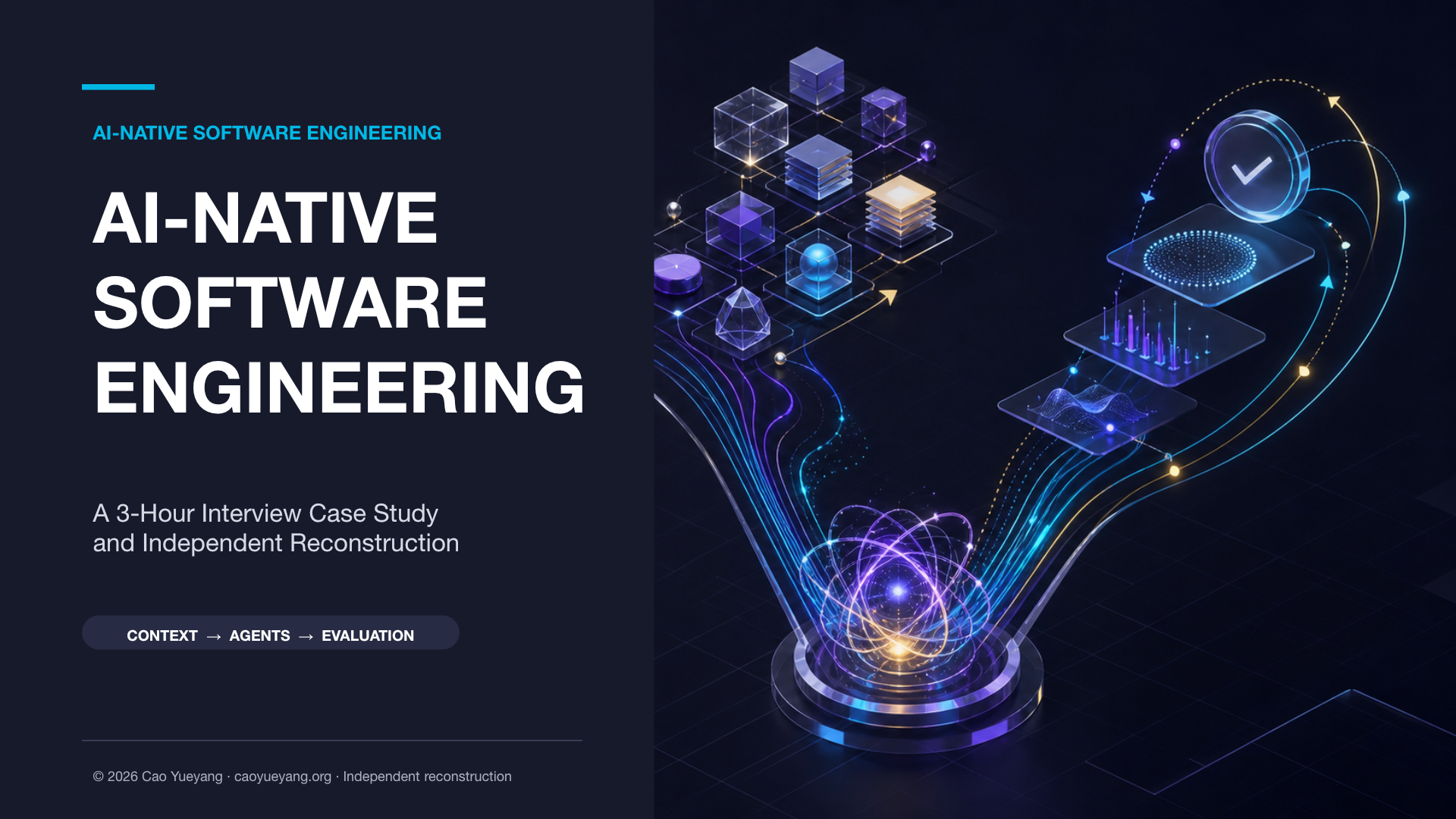
The original interview deck worked for the live presentation, but it was not suitable as a blog attachment in its original form. I therefore turned it into an independent reconstruction:
- Removed the original corporate logo, slogans, and locked brand layout;
- Did not directly reuse the original corporate illustrations, rocket, robot, or shield assets;
- Redrew the cover, process diagrams, connectors, footer, and charts;
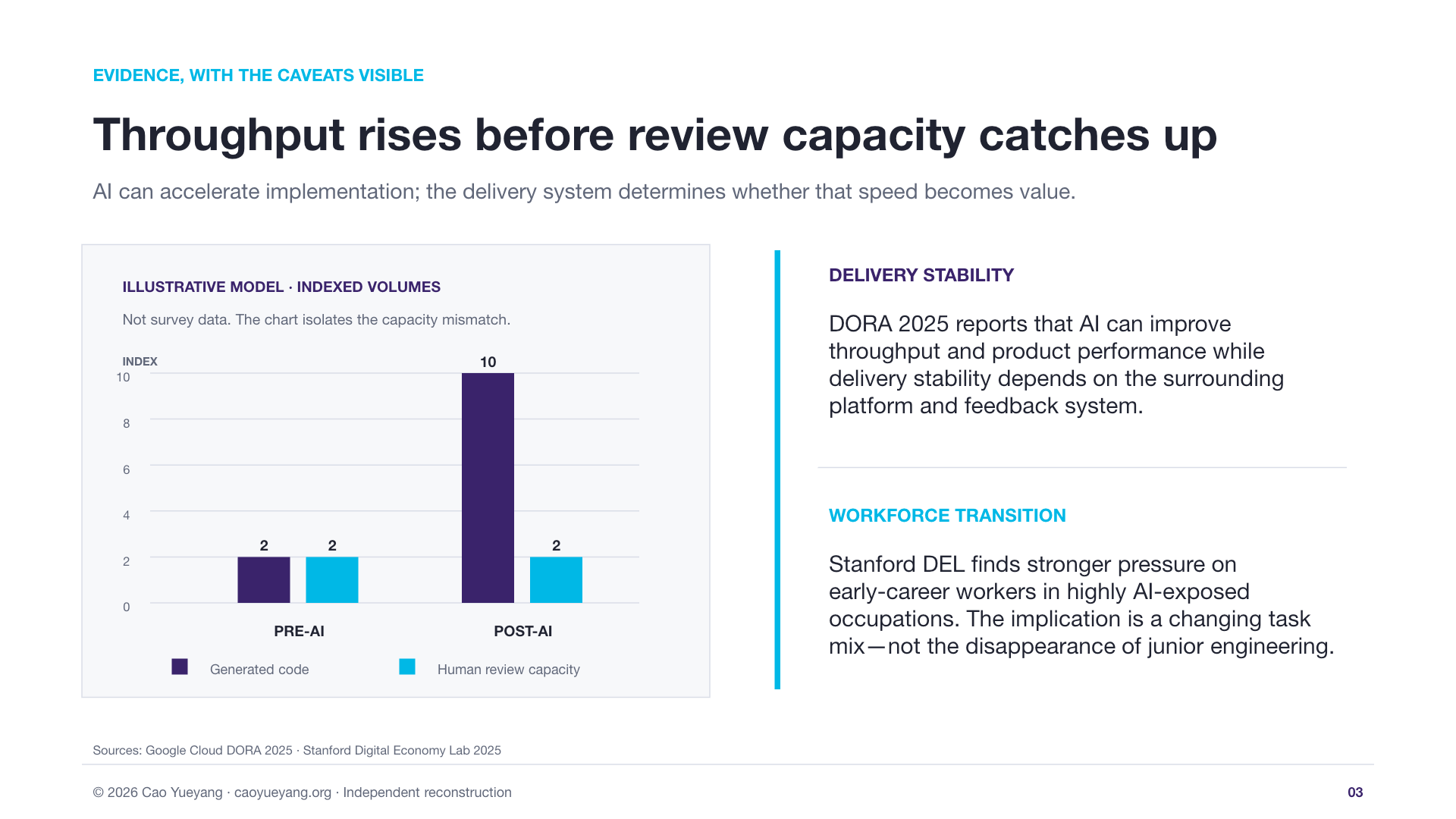
- Classified numbers as Fact, Illustrative Model, Proposed Target, or To Verify;
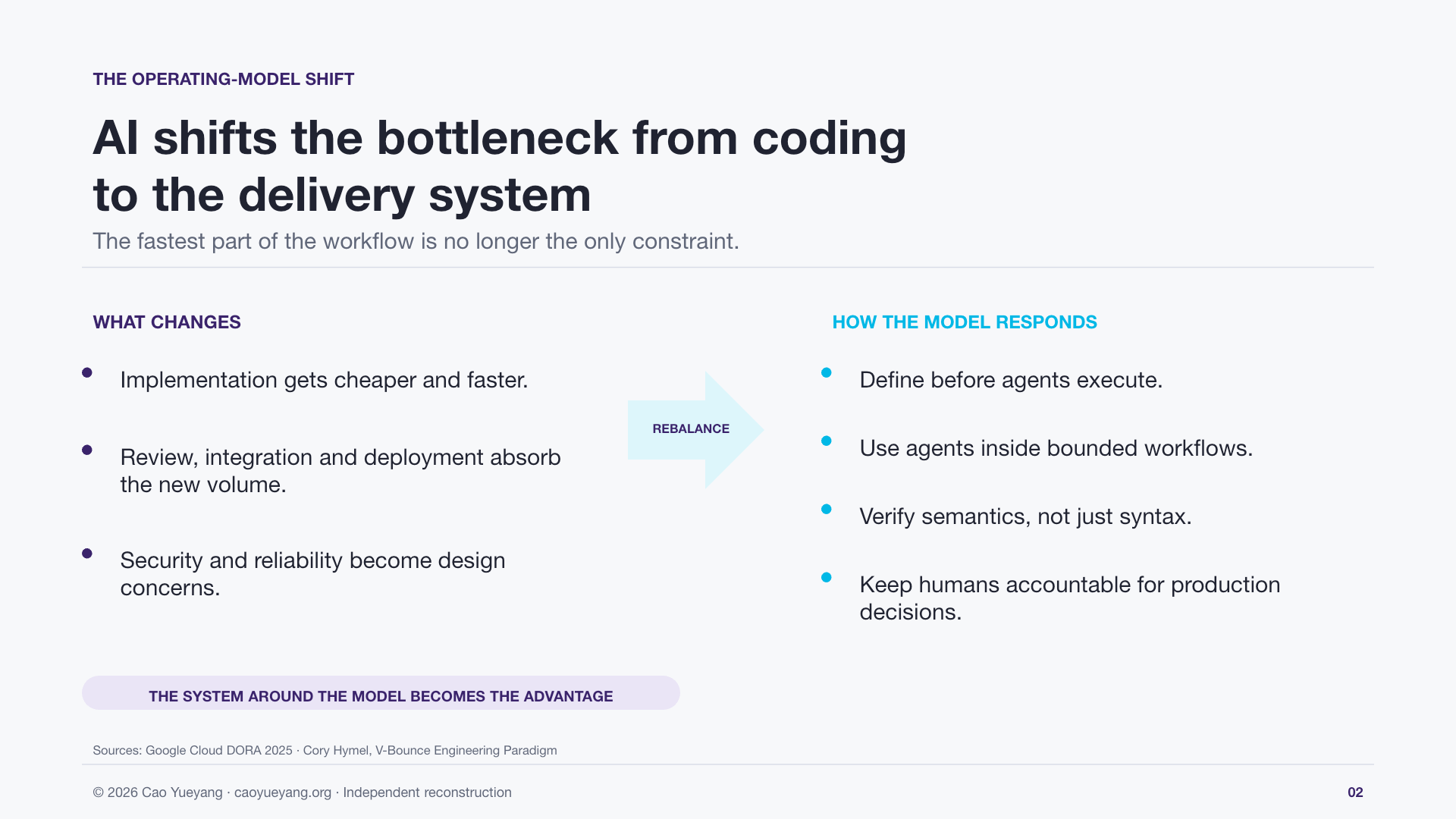
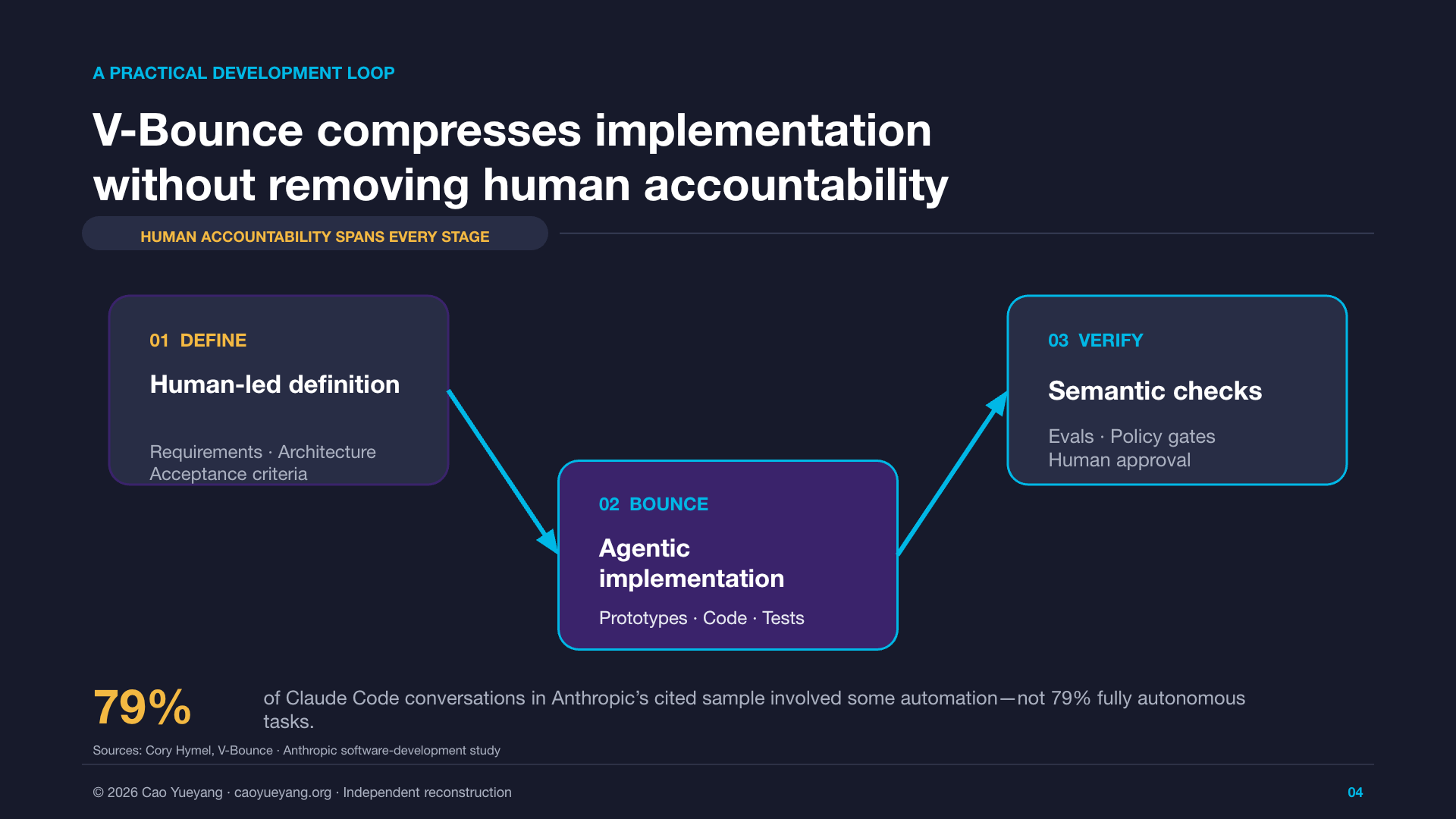
- Reframed V-Bounce as Definition → Agentic Implementation → Verification;
- Added a
Human accountabilityguardrail across AI generation, evaluation, and release decisions; - Generated a six-slide, 16:9 PowerPoint whose objects remain editable.
This version does not represent any company, client, or interviewer, and it is not an official version of the original corporate material. It is my retrospective reconstruction of the preparation process and a personal model of AI-native software engineering.
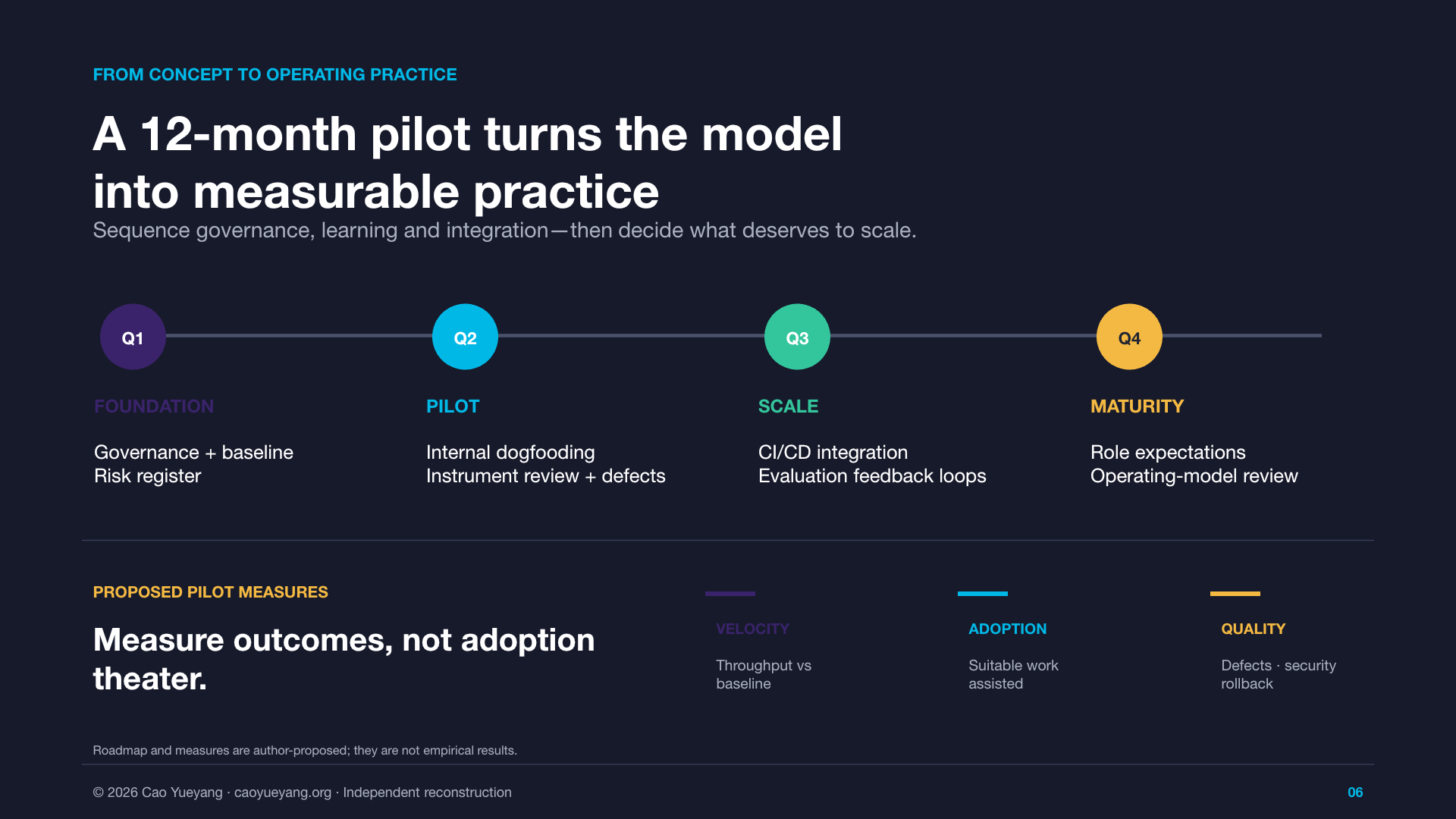
Full PPT preview
The complete six-slide independent reconstruction is below. Instead of stacking six large screenshots in the article, this section uses a horizontally scrollable HTML viewer that can be dragged on desktop and swiped on mobile.
Download the PDF
The independent reconstruction is also available as a downloadable PDF:
AI-Native Software Engineering · Protected PDF
Download PDFThis is PDF permission protection rather than access control: anyone with the link can read the file, while compliant PDF readers require the owner password to edit the document or change its permissions. The password is not included in the article, file name, or Git repository.
What I learned from the experiment
1. AI can compress research and production time, but not problem definition
Gemini expanded the search surface, NotebookLM converted research material into a presentation structure, and WPS helped with rapid layout work. But deciding what to research, which claims belonged in the main line, and which numbers could be published still required human judgment.
2. A complete-looking study is not necessarily an evidence-complete study
AI is very good at turning multiple sources into a smooth narrative. Smoothness is not the same as rigor. Before publishing, I had to recheck the source, sample, time window, and statistical definition of each number, and classify the content as:
Fact: a claim traceable to a clear source;Illustrative Model: a model created to make a relationship understandable;Proposed Target: a target that could be tested in a future pilot;To Verify: content that still requires further checking.
3. The point of an AI-native workflow is not the number of tools
This experience made me think of AI tools as replaceable nodes in a workflow: search tools expand the information surface, knowledge tools organize context, presentation tools accelerate expression, and the human defines the problem, sets boundaries, checks evidence, and owns the result.
If AI is merely added to the old process, the team may only produce more material that needs review, faster. The deeper change is to redesign the relationship between definition, implementation, verification, and accountability.
Publication boundary and disclaimer
This article is a personal retrospective of preparing for a consulting-company interview case. Research claims, charts, and operating-model ideas are separated into public-source evidence, personal synthesis, illustrative models, or content that still needs verification. The final PPT is an independent reconstruction and does not represent any company, client, or interviewer.
The original interview PPT, original template, corporate brand assets, and unverified intermediate materials are not published as blog attachments. The images and PDF shown here are intended to explain the method and the final reconstruction.