
Writing note: GPT-6 generated this article from my conversations and hands-on work with Codex. It looks back at the first Andy Live task: moving photos from the camera to a website. That pipeline now works; admin review, customer QR codes, and payments have not yet been deployed.
My initial goal sounded simple: take a photo on location and let the client see it on a website a little later. Once I started, I realized that “from shutter to website” was a chain of handoffs. The camera had to pass a file to my phone, the phone to cloud storage, and the website had to know what to show. Then I had to decide who could download or remove each photo.

This account follows the order in which Codex and I actually worked through the problems. The configuration screenshot contains no credentials or customer photos, and the error messages retain only what is useful for troubleshooting. At the time of writing, photo transfer and the live gallery are online. Code for admin review, customer QR codes, and Stripe payments has passed local checks in a separate repository, but it is not configured or deployed to the production site.
Start with one 2MP photo
At first, I considered high-resolution USB import, face recognition, automatic editing, and online sales. But the easiest file to get reliably from the Nikon D5600 to my phone was the roughly 2MP copy transferred by SnapBridge. I had no similarly convenient way to transfer the full-resolution original automatically. So the first version focused on one route:
D5600 → SnapBridge → Android phone → FolderSync → Cloudflare R2 →
/livepage
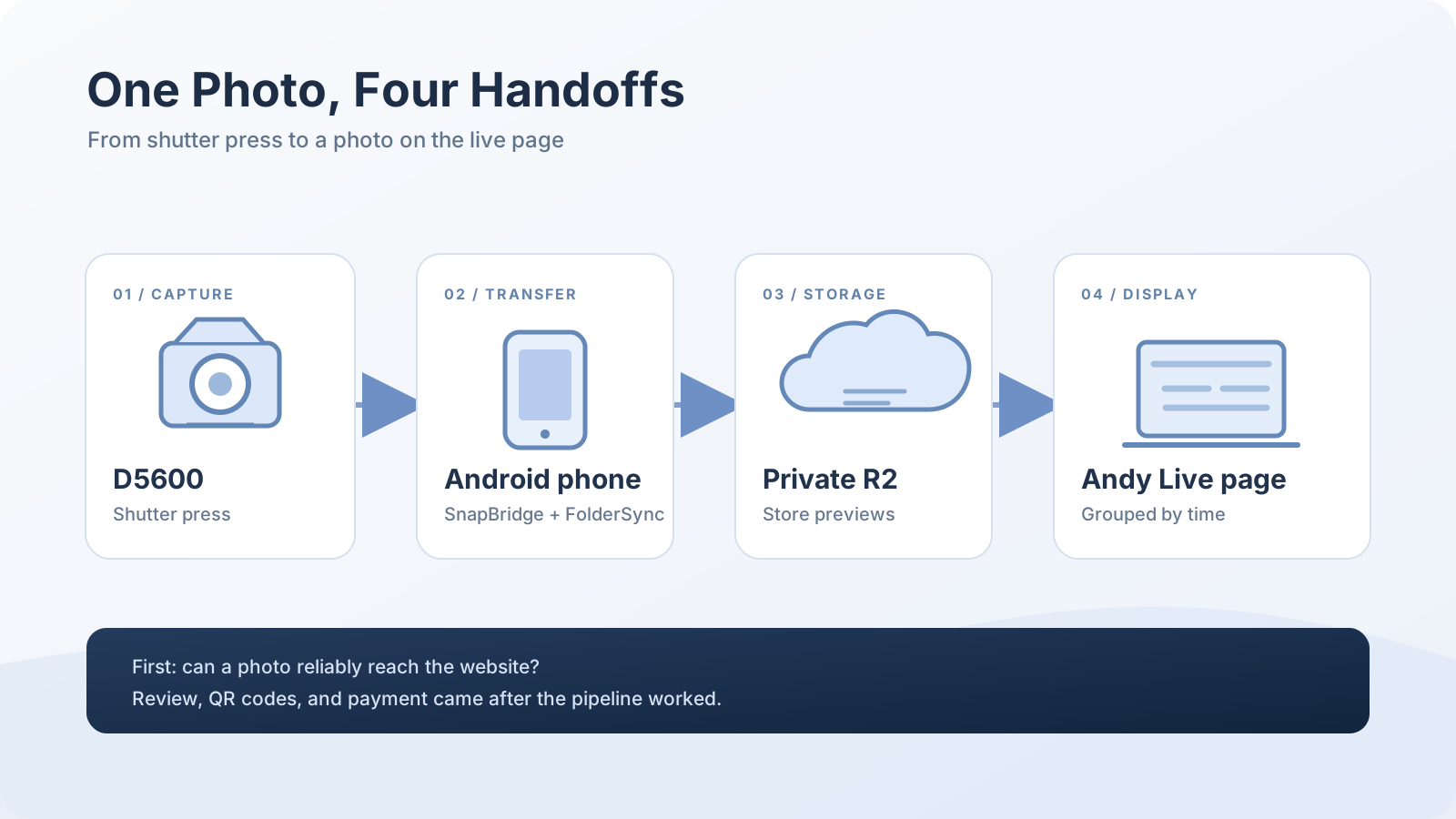
This is not fully unattended. I sometimes still have to tap once to move a photo from the D5600 to the phone. FolderSync handles the scheduled upload after that. Keeping those steps distinct matters: when a new photo is missing from the page, I need to know whether it is stuck at the camera, phone, cloud, or website.
Phone to R2: filling the form was only the first hurdle
I created a private Cloudflare R2 bucket named andy-live. At that point it was empty:
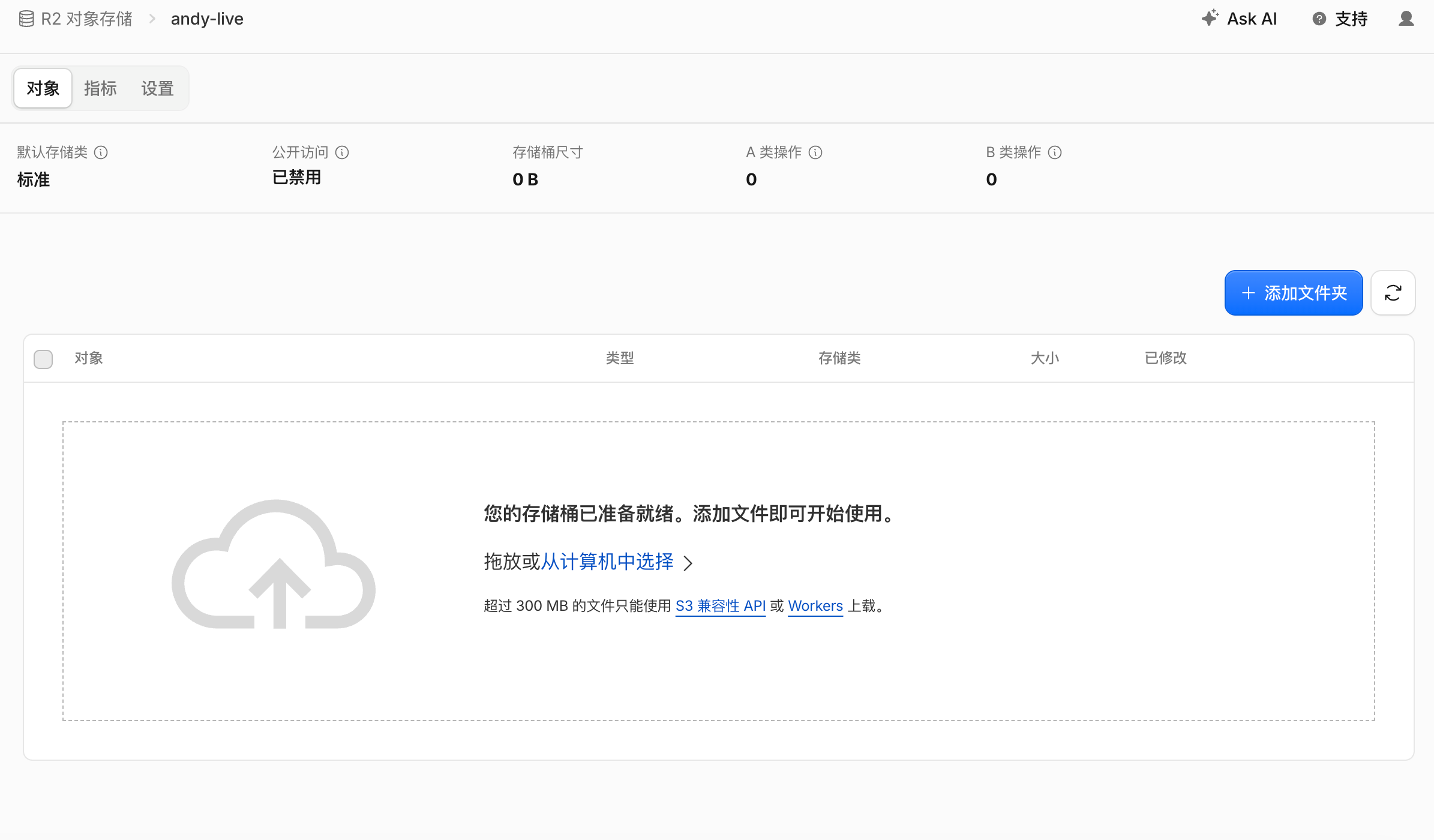
FolderSync lists S3 Compatible under file protocols, not among the cloud services above it. After finding it, I still had to map Cloudflare’s credential names to the fields on my phone:
| FolderSync field | R2 value |
|---|---|
| Access Key ID | R2 access key ID |
| Secret Access Key | R2 secret access key |
| Server address | https://<Account ID>.r2.cloudflarestorage.com |
| Region | auto |
The token value is not the S3 Access Key ID, and the server address is not the bucket page URL. The account test first returned Access Denied. It later gave a more specific error: us-west-2 was not a valid region, and the allowed values included auto. After setting auto and checking the token permissions, endpoint, and bucket scope, the account test passed.
Passing that test only proved the phone could connect to R2. It did not mean photos were syncing. I still had to create a folder pair: on the left, the phone directory where SnapBridge actually saved photos; on the right, the new S3 Compatible account and bucket. The direction was phone to cloud. I chose the shortest scheduled repeat interval, five minutes, and left experimental file encryption off.
Next came SyncFailedException. The useful clue was the on-screen “permission to access files not found” message, not the long Java stack trace. Android already allowed access to photos and videos, but FolderSync still needed the separate “manage all files” permission. Once that was granted, a photo finally reached R2. The first object path I saw was previews/_DSC0047.JPG.
Later, sync reported STREAMING-AWS4-HMAC-SHA256-PAYLOAD not implemented. I adjusted FolderSync’s quick remote-change check and its “disable checksum calculation” option, and the error stopped. Both settings changed during the same troubleshooting round, so I cannot attribute the fix confidently to just one. I can say that this combination uploaded successfully from my phone to R2.
Objects in R2 made the website useful
Once photos appeared in the bucket, the next question was how R2 would reach my website. We built a separate service for andy-live. The server uses read-only credentials to list R2 objects and create short-lived access links; the bucket remains private. The live page groups photos into 20-minute intervals using their upload times and polls for updates after the phone syncs.
I did not want the page restricted to “the latest 50 photos.” Once we added a review mechanism, the better rule became clear: show every photo that I have reviewed and explicitly made public, rather than exposing every new object in the bucket. Sync and page polling also generate R2 requests, so actual operation counts matter alongside storage capacity.
Two promises needed care. First, the time shown on the page comes from an R2 object’s upload or modification time, not the camera’s shutter time. Second, adding “please save your photos promptly” to a page is easy. Promising deletion within 24 hours requires a real cleanup job and a retention rule for purchased files. A line of copy cannot enforce a deadline the system has not implemented.
Once photos were visible, who could see and receive them?
With the live page working, I started asking whether every uploaded photo should be public. If someone bought one photo, how could I stop them from downloading a whole batch? Could I immediately take down a problematic image from my phone?
At that point, andy-live grew from an object-list page into a small access-control system. New uploads should wait for my review. From a mobile admin page I can select photos, and the system can prepare watermarked viewing copies and separate 2MP delivery files. The public gallery, a customer’s QR-code page, and the post-payment download link each have different permissions:
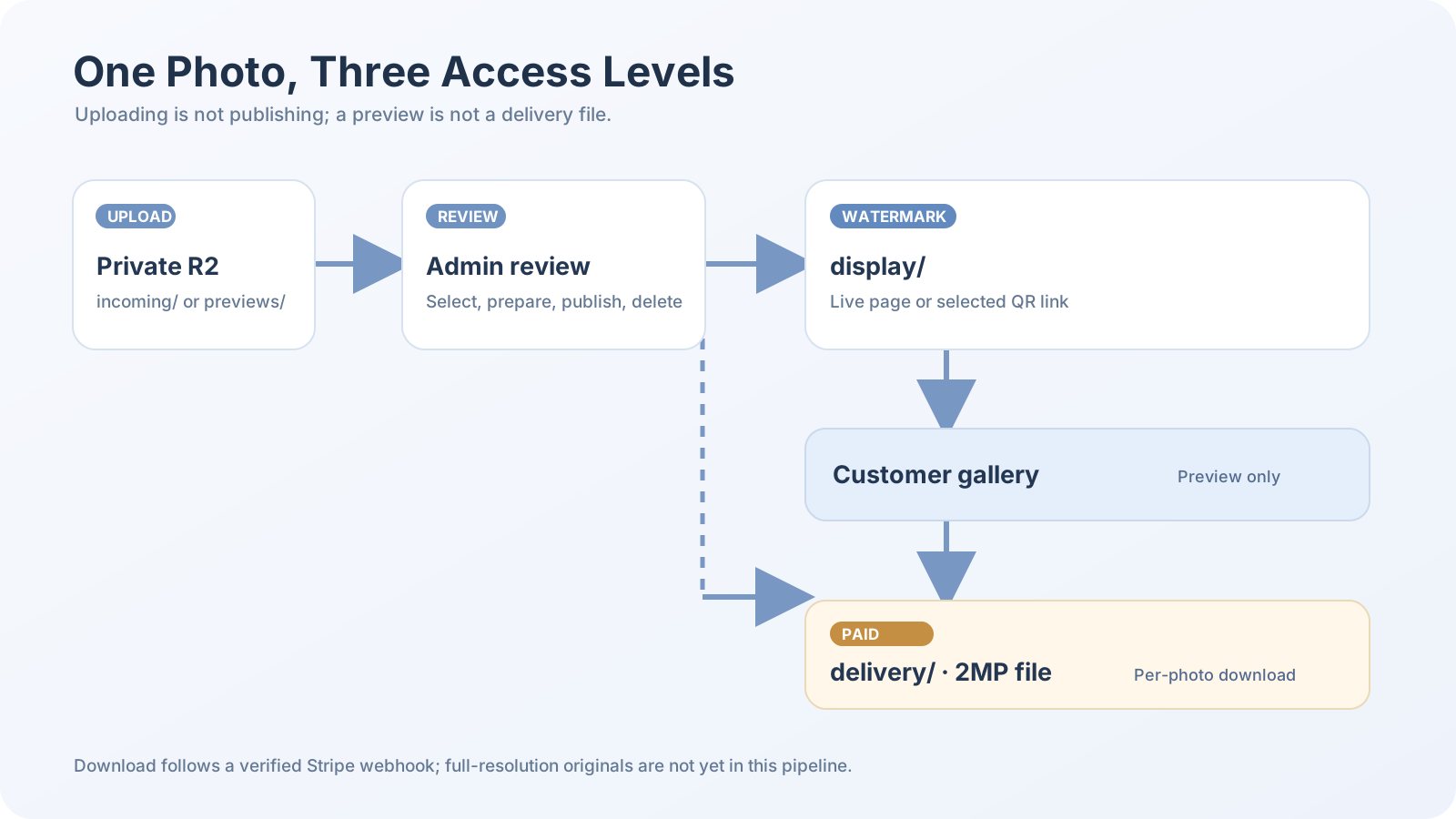
A customer QR code contains only the photos I select and can expire or be revoked. Payment is per photo. A return from Stripe’s checkout page is not enough to permit a download: the server must receive and verify the payment webhook, then match the share link, photo, and order. The admin interface can also unpublish or delete photos and inspect recent orders. For now, the delivery file is still the roughly 2MP straight-out-of-camera copy transferred by SnapBridge, not a full-resolution original that has yet to enter R2.
I also kept asking whether HK$10 per photo made sense after payment fees, and what business or venue rules applied to small-scale street photography. Stripe does not settle those questions. Automatic payment can establish an order’s payment state; pricing, operating arrangements, and compliance need separate decisions before real sales begin.
I also needed to know where website changes came from
While adding the 20-minute grouping, I asked a seemingly mundane question: “Which copy of the code on the server did we actually change?” If the only change lived in a manual server edit, how would I reproduce or roll it back?
We later separated andy-live into its own private GitHub repository and connected GitHub Actions. Changes are checked locally; pull requests run automated tests. After a merge to the main branch, the pipeline builds an image. The Contabo server starts a candidate container and checks the page, health endpoint, and photo endpoint before replacing the live container. I can now identify which commit is running instead of relying on my memory of a past server edit.
That also explains why the second version is not live yet. Code for admin review, QR codes, per-photo payments, and configurable cleanup has been written. Fifteen local tests, including tests with a temporary PostgreSQL database, plus type checks and a build have passed. Production still needs an admin R2 write credential, a database and login configuration, a Stripe merchant account, and test payment webhooks. Automatic cleanup is disabled by default, so I cannot claim that the production site already deletes photos on a schedule.
What works now
As of October 3, 2026, the work falls into two groups:
| Working now | Still needs configuration and end-to-end checks |
|---|---|
| D5600 to phone through SnapBridge, with a manual tap when needed | Admin R2 read/write credentials and database |
| FolderSync uploads roughly 2MP photos to private R2 | Production checks for admin login, review, and QR codes |
/live displays photos in 20-minute groups |
Stripe test payments, webhooks, per-photo downloads, and refunds |
| Independent-repository CI/CD and candidate-container checks | Backup and restore rehearsal, final retention rules, and rollout |
Looking back, the project advanced when I kept asking one question: “Where has the file reached?” After an account test passes, check whether an object exists. After an object exists, check whether the page can read it. Only then address review and sales. Each handoff leaves observable evidence, which tells me where to begin the next investigation.