
Translation note: This English version follows the structure, data, figures, and references of the corresponding Chinese post. It was reviewed and synchronized on 2026-08-03.
ESP32 Xiaozhi Chatbot: Full Build Log
Project start: 2025-01-26
1. Key Terms
- ESP32: a low-cost, high-performance Wi-Fi and Bluetooth dual-mode chip from Espressif, widely used for IoT devices.
- Xiaozhi: the personified name of this AI software/project.
- Xiaoge: reportedly the current owner of the open-source Xiaozhi project. His public links include the GitHub organization, Bilibili profile, and personal blog.
- Breadboard: a solderless prototyping board for quickly building and testing circuits. Components and jumper wires can be inserted and removed without soldering, which makes it useful for prototyping and learning electronics.
2. Features
As of 2025-01-26, the project supports:
- Connectivity
- Wi-Fi and ML307 Cat.1 4G
- Streaming voice dialog via WebSocket or UDP
- Voice interaction
- Offline wake word via ESP-SR
- Multilingual recognition: Mandarin, Cantonese, English, Japanese, and Korean
- Speaker recognition through 3D Speaker
- TTS via Volcano Engine or CosyVoice
- AI core
- LLM integration with Qwen2.5 72B or Doubao APIs
- Short-term memory through automatic per-turn summarization
- Hardware interaction
- BOOT key for tap-to-wake and long-press interrupt
- OLED/LCD support for signal, dialog, or emoji-style visuals
3. Demo Reference
https://www.bilibili.com/video/BV1XnmFYLEJN/
4. Bill of Materials (BOM)
| Part | Approximate Taobao price |
|---|---|
| ESP32-S3-DevKitC-1 (WROOM N16R8) development board | RMB 33 |
| INMP441 digital microphone | RMB 9 |
| MAX98357A audio amplifier | RMB 8 |
| 8Ω 2–3W or 4Ω 2–3W speaker | RMB 3 |
| Two 400-hole breadboards | RMB 4 |
| 1.54-inch 240×240 LCD display | RMB 7 |
| One box of 140 breadboard wires | RMB 4 |
Total cost: about RMB 68.
After comparing the options, I bought a DIY kit on Taobao instead of sourcing every part separately.
Useful references:
- Video tutorial: https://www.bilibili.com/video/BV1fwF7evEgv/?spm_id_from=333.337.search-card.all.click&vd_source=75d656a7472bd9409d3f8f47160a8b73
- Project wiki: https://my.feishu.cn/wiki/AgDaw0P9liDwpfkUBOjcMbADnec
5. Assembly
5.1 Wiring
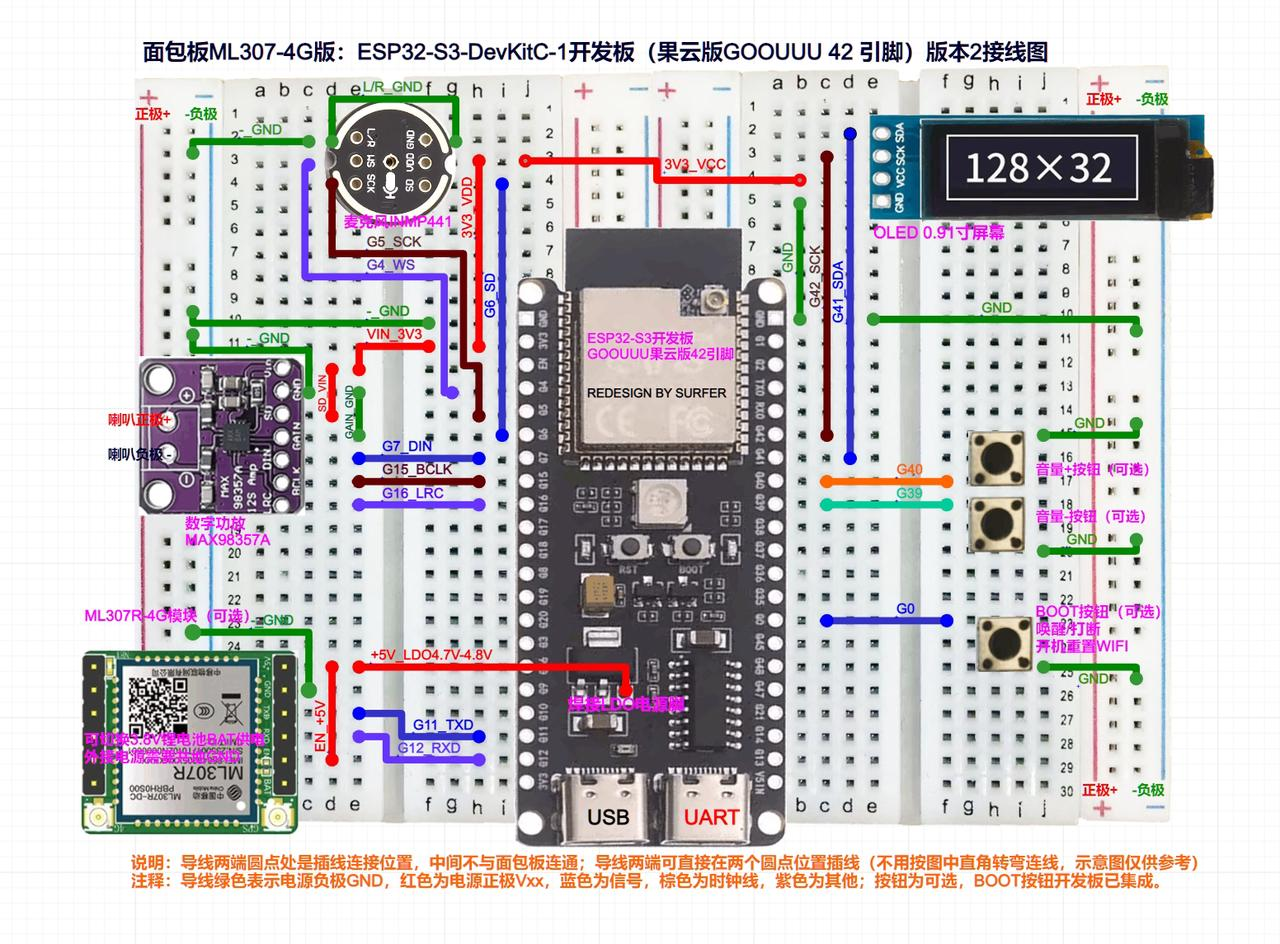
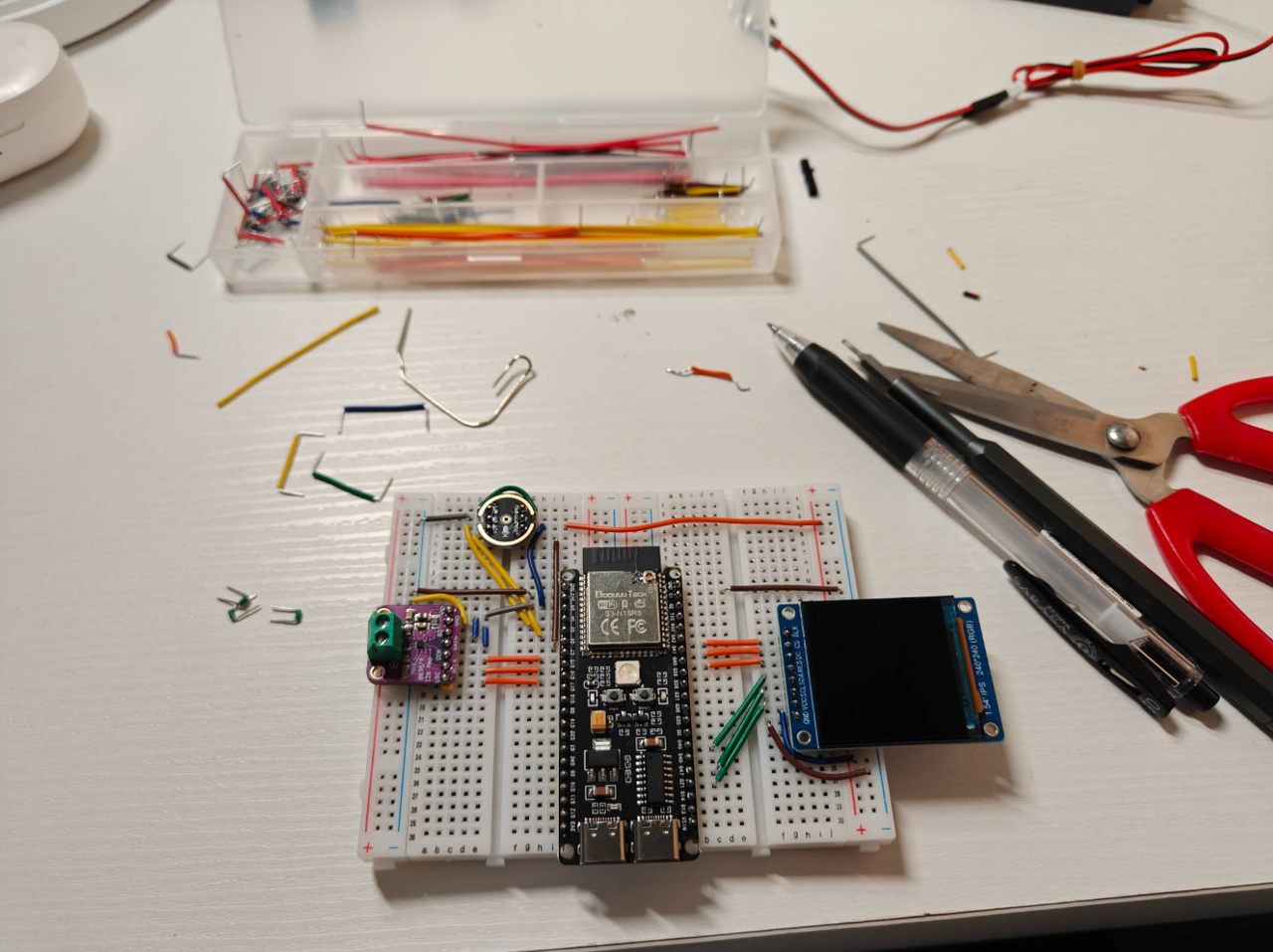
5.2 Flashing
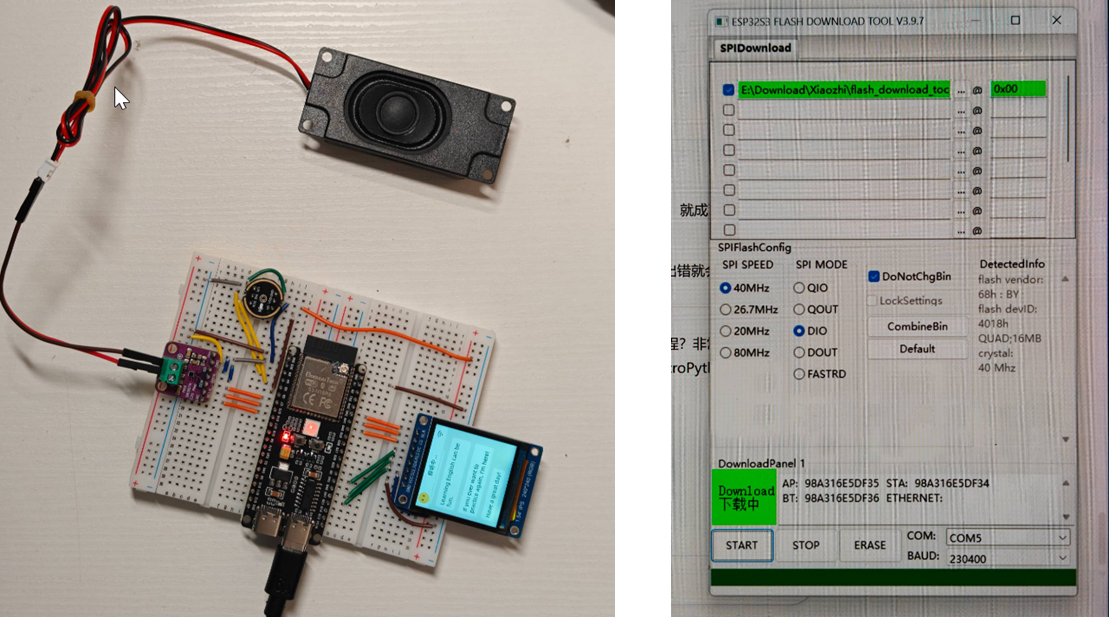
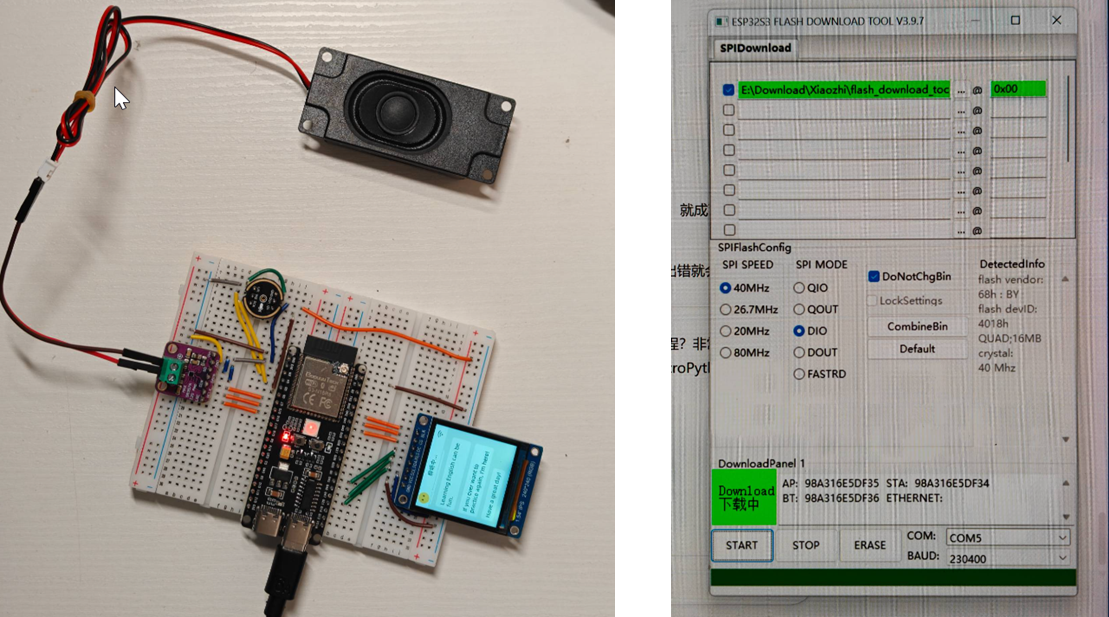
Use Espressif’s official flashing tool to burn the firmware.
5.3 Networking
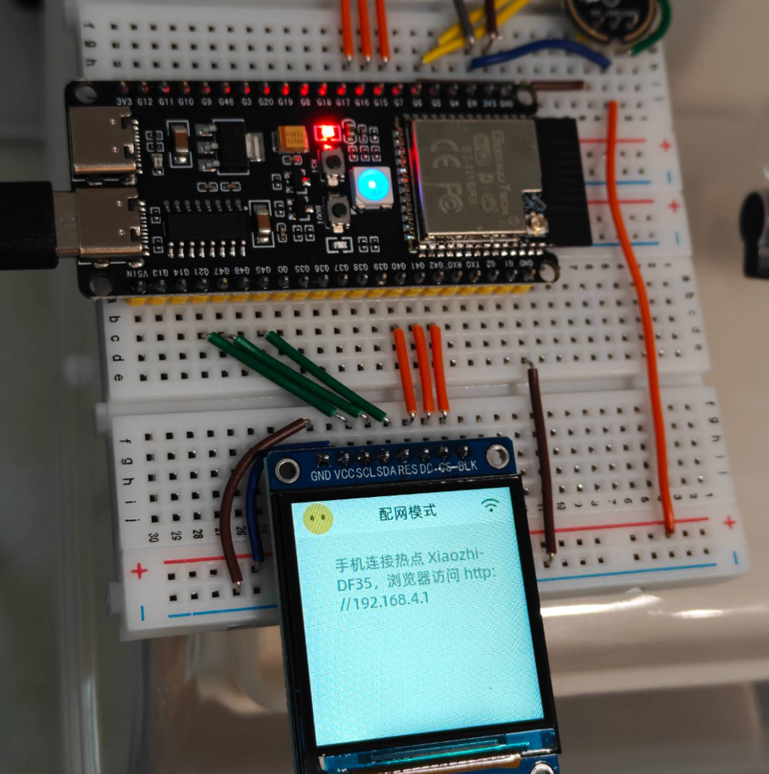
Configure the backend in the Xiaozhi console and connect the device to the network.
6. What It Can Do
- Conversational chat
- ASR wake-word support. A simple custom wake-word approach is documented in the project notes.
7. Technical Route
Reference: the architecture diagram around 2:14 in the Bilibili video I built a mini Iron Man robotic arm.
Problems Encountered
- What is ESP32? See Espressif’s official product page.
References
- GitHub: https://github.com/78/xiaozhi-esp32
- Xiaozhi encyclopedia page: https://my.feishu.cn/wiki/F5krwD16viZoF0kKkvDcrZNYnhb
- Hardware and wiring guide: https://my.feishu.cn/wiki/EH6wwrgvNiU7aykr7HgclP09nCh
- Community resource: https://www.xiaohongshu.com/explore/67833edd000000000b0208ef?xsec_token=AB_MS52dkJqZumANKyGVlOYvJx6Qft6QMksPRPM2IU1Yo=&xsec_source=pc_search&source=web_search_result_notes