
Prerequisites
- Understand Photoshop’s basic layer concepts
- Be familiar with scaling and moving type and images
- Know basic image cutout techniques
Overall Approach
AI reads the repository -> human judgment and prompt refinement -> reference sample -> find open-source / AI-generated assets -> manually or with Computer Use, composite the assets in Photoshop
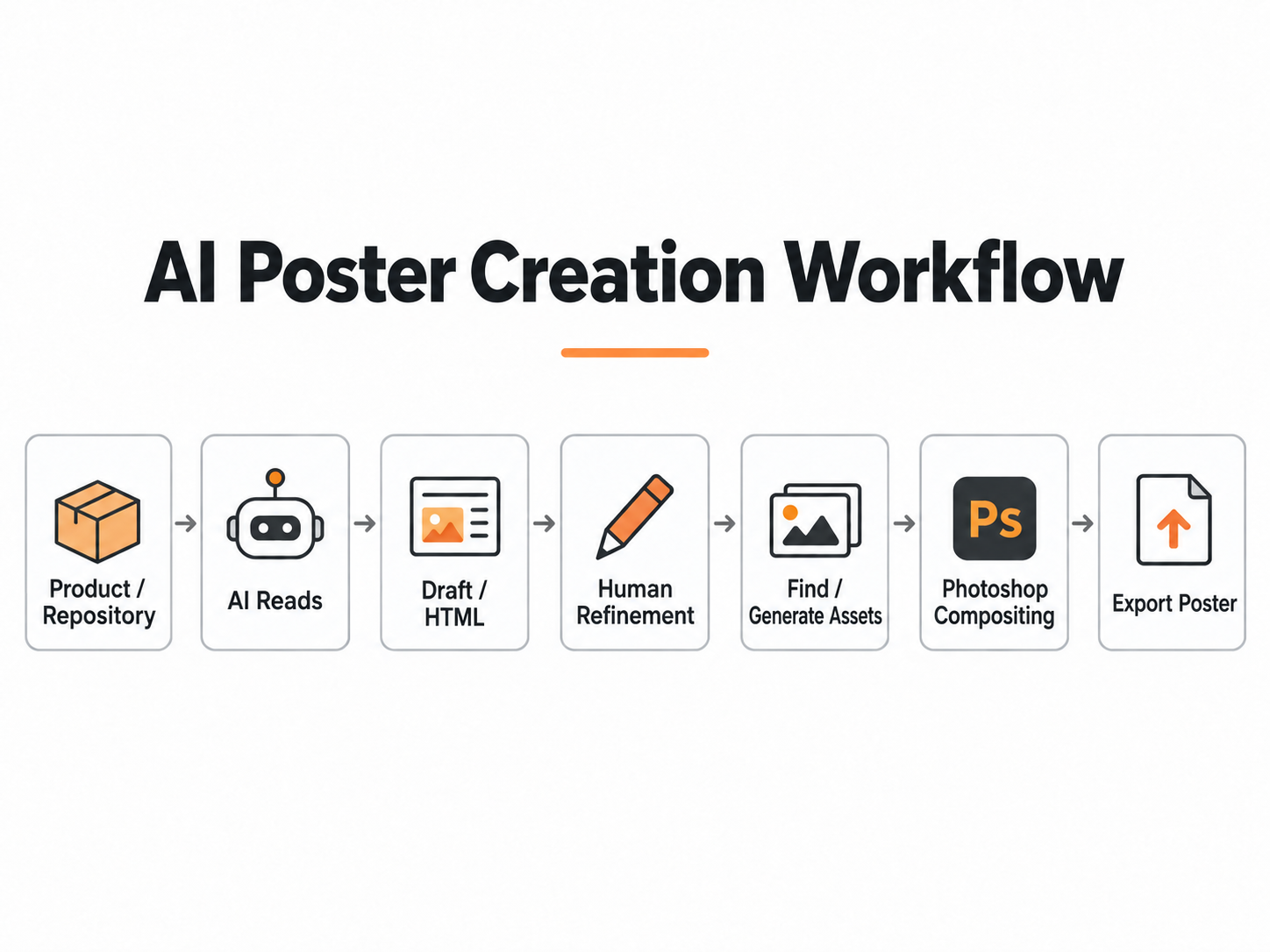
HTML Design Reference
At the time, I was designing a promotional poster for the “Shiguangji” Demo project I was taking to a Hackthon.
Since I had designed posters several times while working in a publicity department during my undergraduate studies, I had some poster-design experience. This was not a completely unfamiliar field to me.
My previous process was: look for inspiration from good examples -> find image assets -> draw the promotional material
At that time, the code repository and MVP code already existed, including color schemes and design ideas.
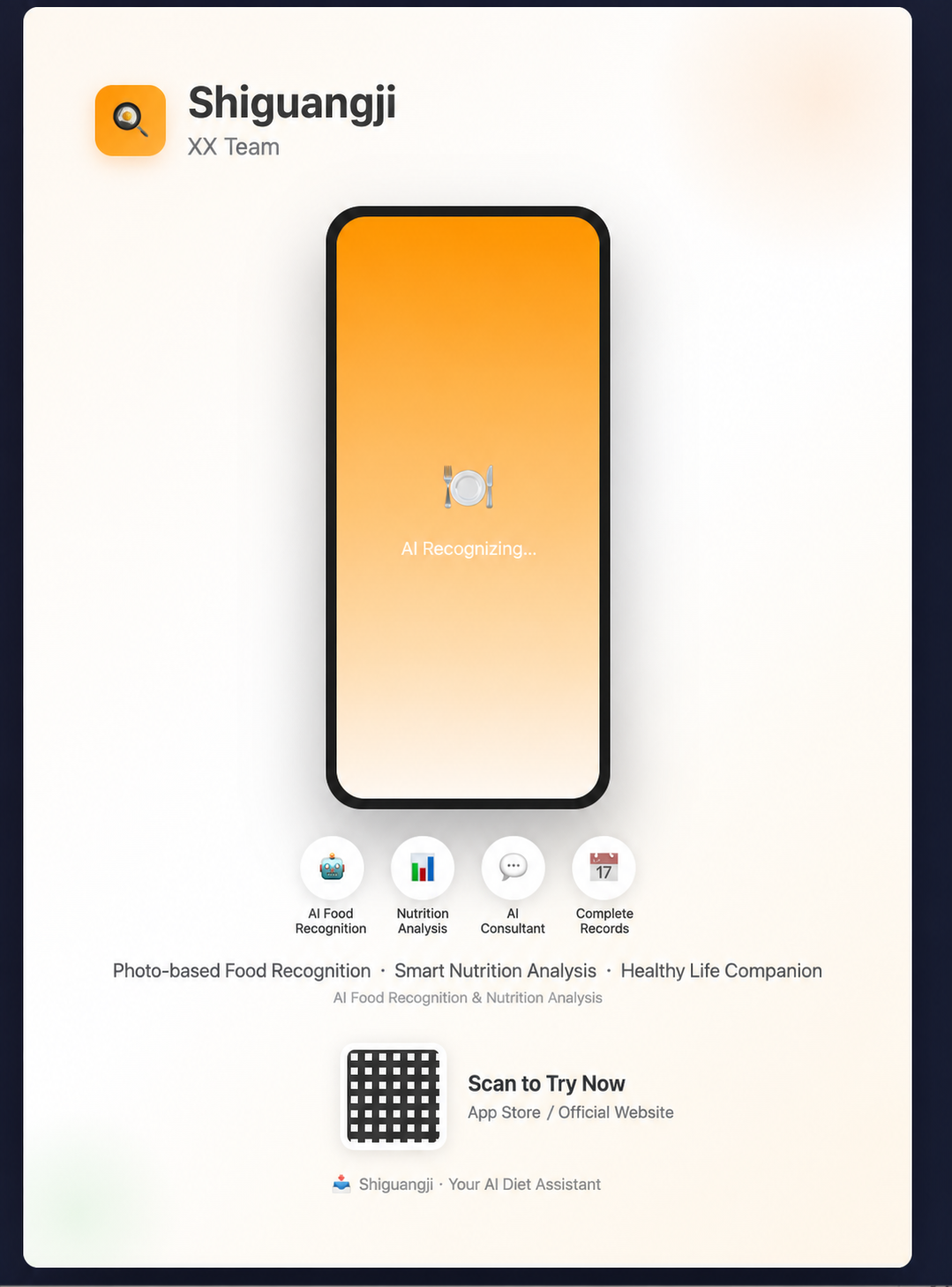
I asked the Agent to read the entire code repository, give me a reference Prompt, and generate an HTML file (for convenient editing). Generating an image directly would also have worked, but Image2 was not yet such a powerful image-generation model at that time.
Reference Prompt:
“_A3 portrait poster design, a promotional poster for the Shiguangji AI food-recording app, warm orange gradient background, light white color scheme, clean, simple, modern style. Top center: logo icon + product name “食光机” in a handwritten typeface + team name. Center: a refined phone mockup showing the app interface, light UI + orange accents, displaying AI food recognition + nutrition analysis screens. Under the phone, four circular icons in a row: camera, brain, dialog box, and calendar, representing AI dish recognition, nutrition analysis, AI consultant, and complete recording. Bottom: a large QR code on the left + “Scan to Download” on the right + the slogan “Photograph Food · Smart Nutrition Analysis · Healthy Life Companion” at the bottom. Artistic whitespace, light-gray geometric decorative lines, no extra text, clear information hierarchy, premium brand feel, 8k ultra-high-definition, graphic design style, CMYK print standard”
The HTML file reference is shown below:
Finding / Generating Assets
After the previous step solved the hardest layout and inspiration problems, the next step was finding assets.
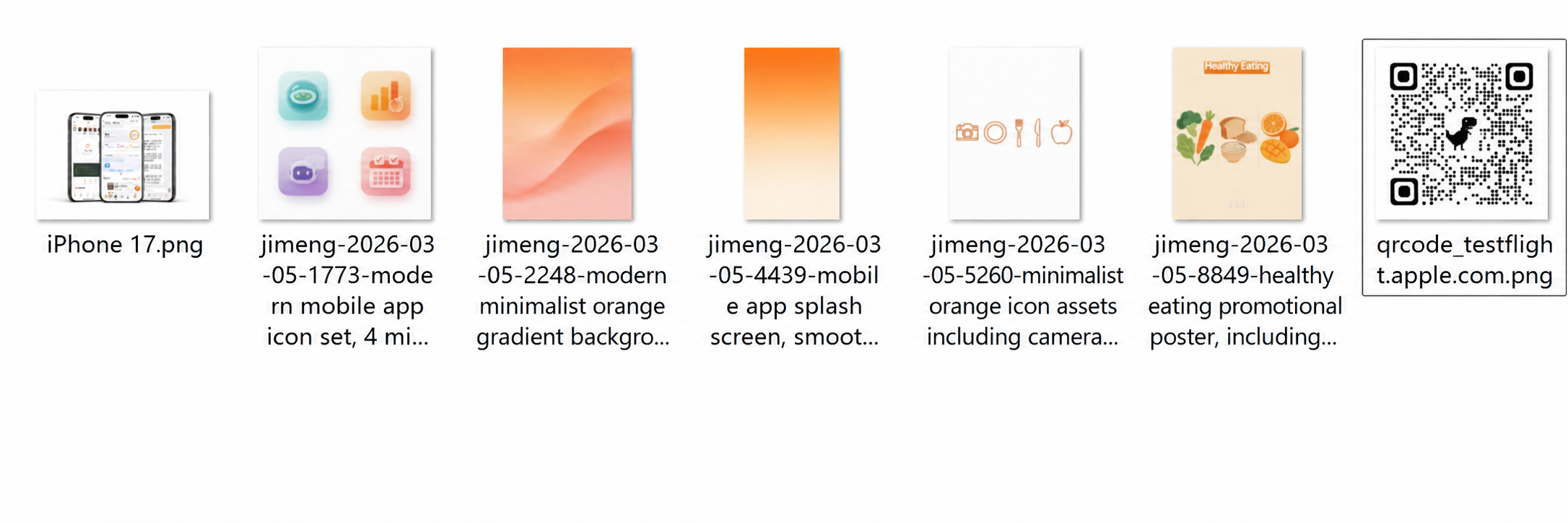
These are the assets I found:
The iPhone mockup came from a free design website; the icons were generated with SeedDream as images that would be convenient to cut out; the QR code was generated through Chrome; I initially wanted to insert an image as the background, but later found that a gradient looked better;
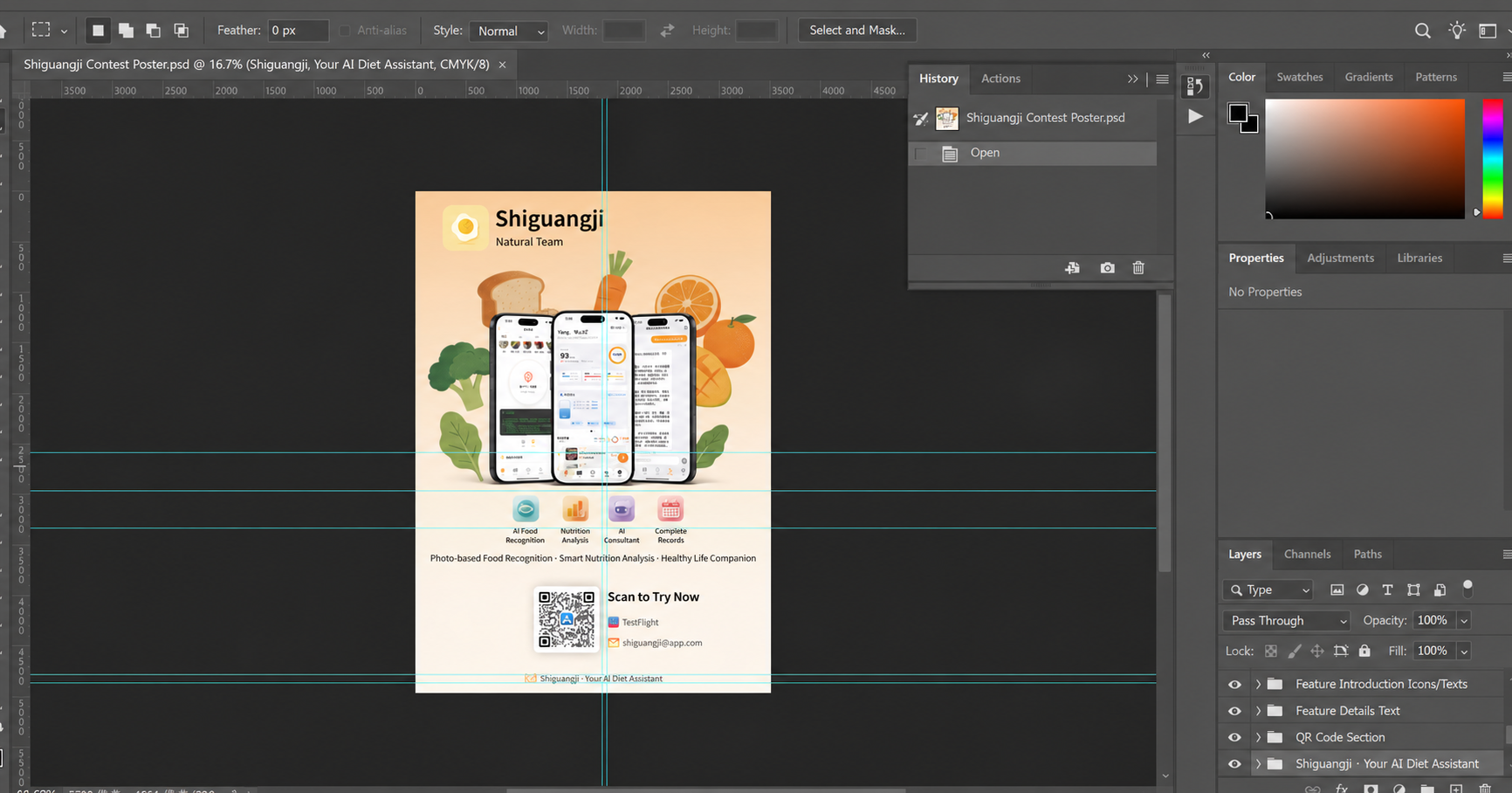
Next came the relatively tedious and repetitive work of alignment and layout (perhaps Computer Use could be tried for this)
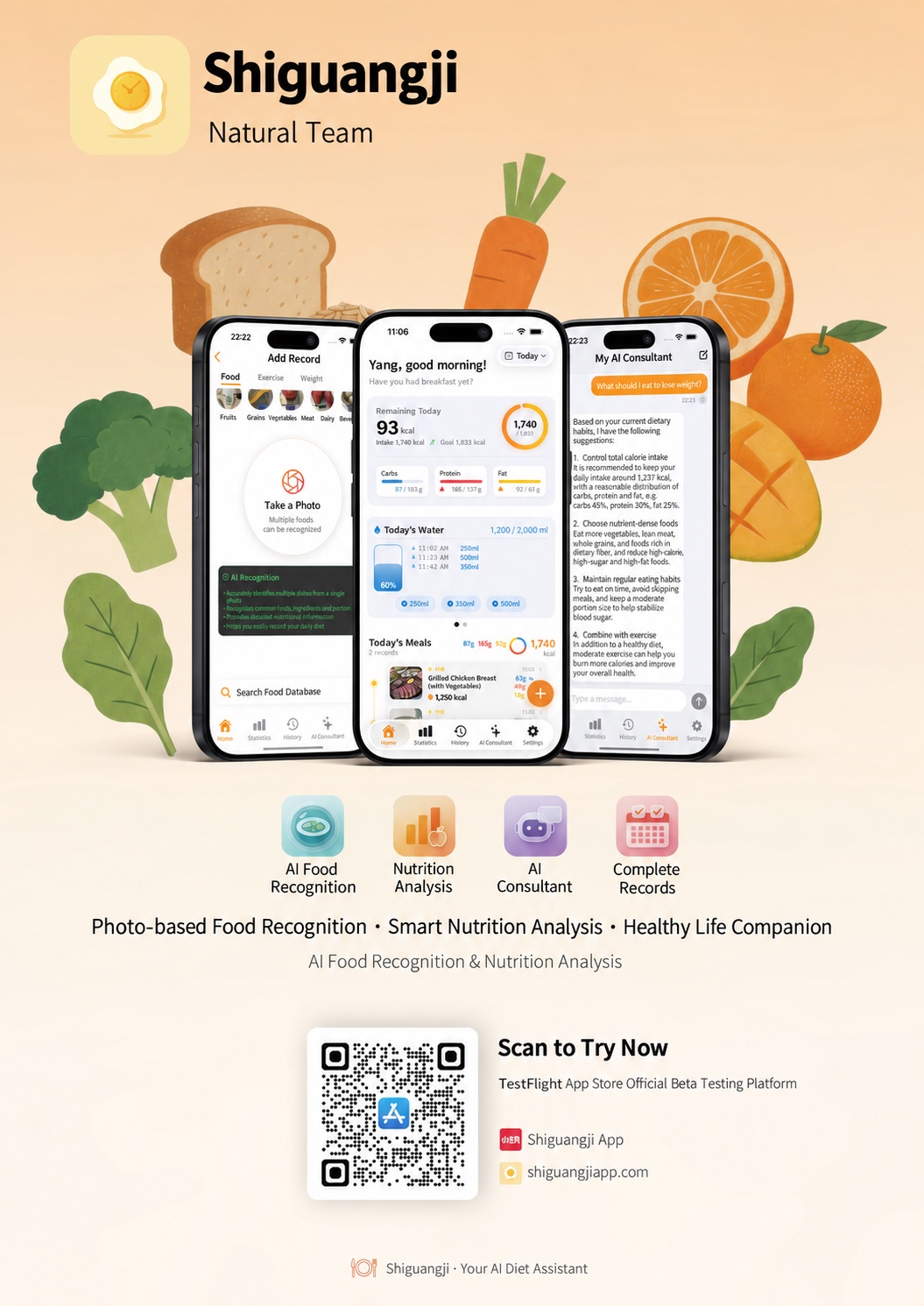
The exported poster is shown below
Summary
The main roles of AI in this workflow were:
- Read the entire repository and draw a poster sketch with design ideas
- Generate image assets
- Assist with web searches